31
WWW.FUHR.DE
multitronic
881/881GL/ServoAccess
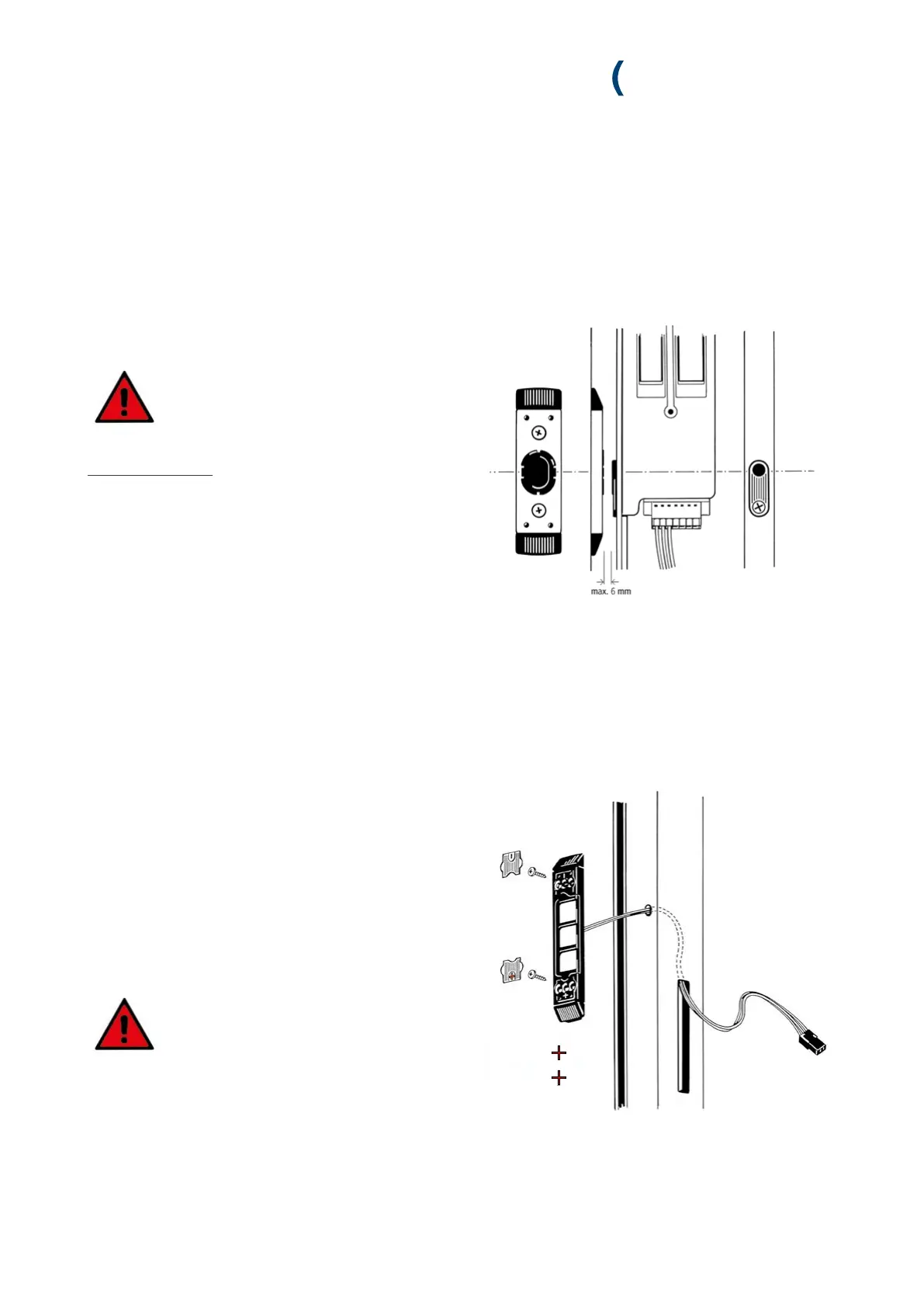
4.2.5 INSTALLATION OF THE MAGNETIC CONTACT IN THE DOOR FRAME
DIN right = bottom
DIN left = top
1.Install the magnetic contact in accordance with the sup-
plied routing drawing. The exact drawing dimension must be
adhered to in order to warrant perfect contact with the elec-
tromotive drive’s reed switch.
Make sure that the reed switch and magnet
are aligned horizontally at the same height.
For one-piece keeps:
The installation of the one-piece keep is to be carried out in
compliance with the routing drawing. The magnetic contact
must be ordered separately (Art. no. VNZM14195) and
installed.
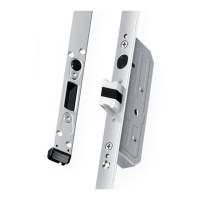
1. Remove the silver covers.
2. Feed the surface-contact device’s 3-core cable (red, black,
white) through the frame profile’s drill hole and back out-
side through the control unit casing’s routed opening. Pull
the cable all the way through the routed opening so that
the surface-contact device is located level on the profile.
3. Screw fix the surface-contact device to the frame profile.
4. Replace the covers.
In order to ensure proper contact and
durable operation, the contact surface has
been pre-treated with contact lubricant.
Please do not remove this lubricant film!
Adhere to the regular maintenance
instructions in compliance with chapter 9.1.
4.2.6 INSTALLATION OF THE SURFACE-CONTACT DEVICE IN THE DOOR FRAME


 To Next Page