4 Fax
204
Fax
4
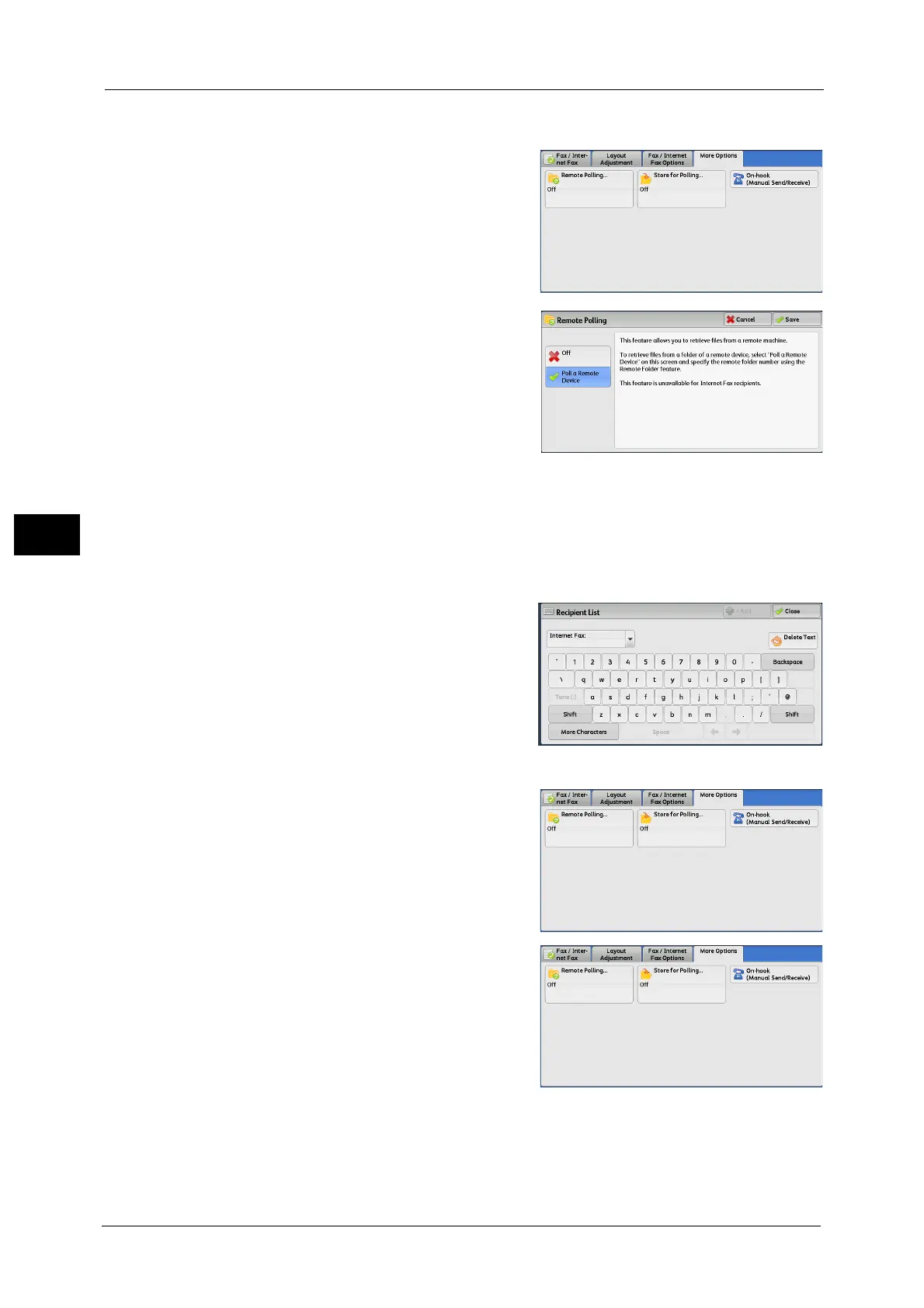
Remote Polling
1
Select [Remote Polling].
2 Select [Poll a Remote Device].
Note •To use Multi-Polling, specify multiple
recipients.
Off
Disables the Remote Polling feature.
Poll a Remote Device
Enables the Remote Polling feature.
3 Specify a destination, and then press the <Start> button.
Secure Polling (DTMF Method)
1
Select the keyboard button on the [Fax/
Internet Fax] screen to display the keyboard on
the touch screen.
2 Enter a format corresponding to Auto Send or Manual Send, and then select [Close].
3 Select the [More Options] tab to display the
[More Options] screen.
4 Select [Remote Polling].



 To Next Page
 Loading...