75
4
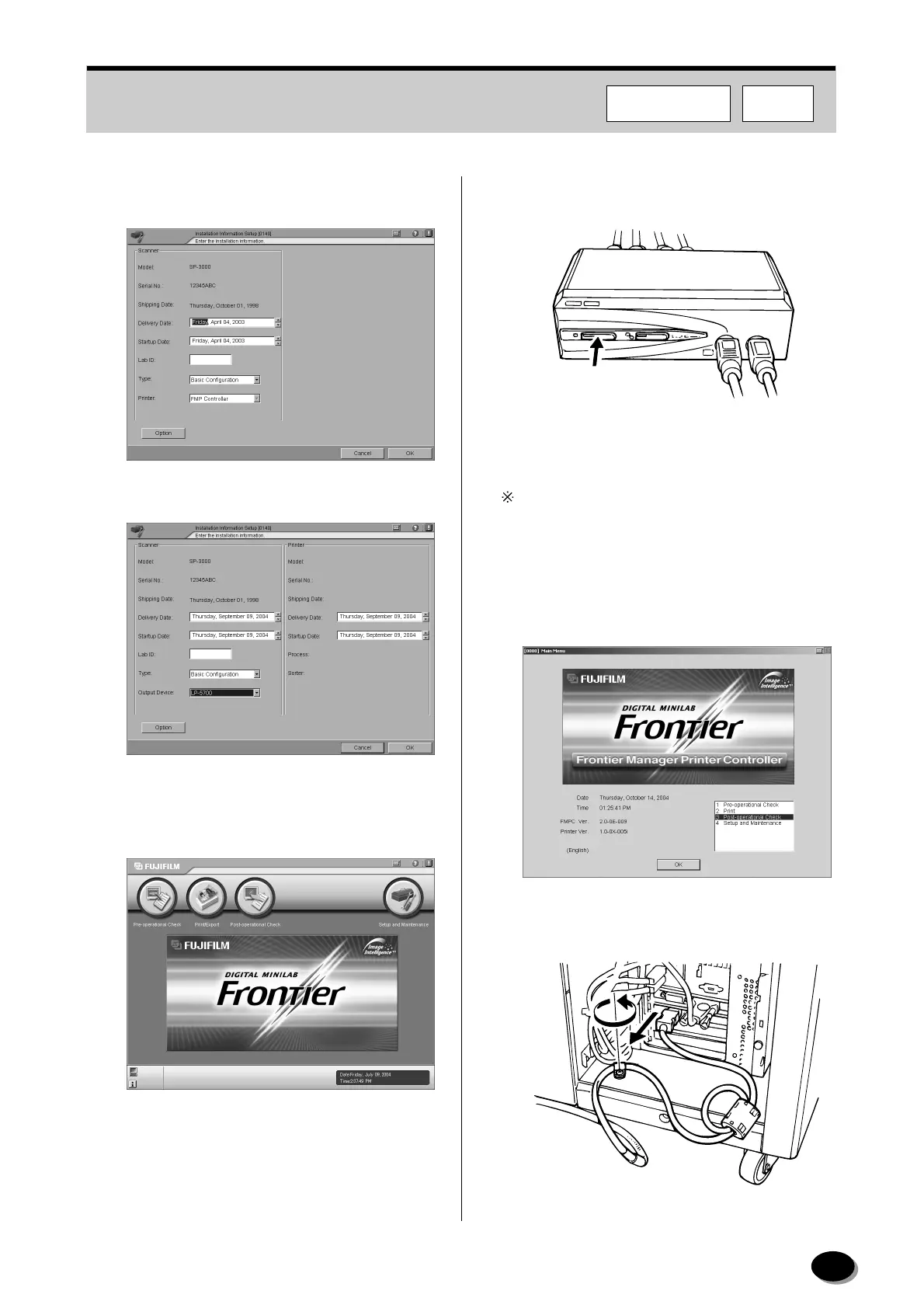
The [0140 Installation Information Setup] screen
appears.
5
Select “LP1500/2000” or “LP5000” as printer.
6
On the “Main Menu” screen in the scanner (SP),
click the [Post-operational Check] button, then
shut down the scanner.
7
Switch the display to FMPC by pressing the
button on the switcher.
The display can be switched also by pressing the
[Ctrl] key twice swiftly.
8
On the “Main Menu” screen in the FMPC, select
[3 Post-operational Check], then click the [OK]
button, then shut down the FMPC and printer
(LP).
9
Disconnect the IEEE1394 cable from the
scanner (SP).
MP019
MP047
FMPCF355/375/570
distributed by www.minilablaser.com



 To Next Page