74
5
Taking Photographs
Autofocus
Checking Focus
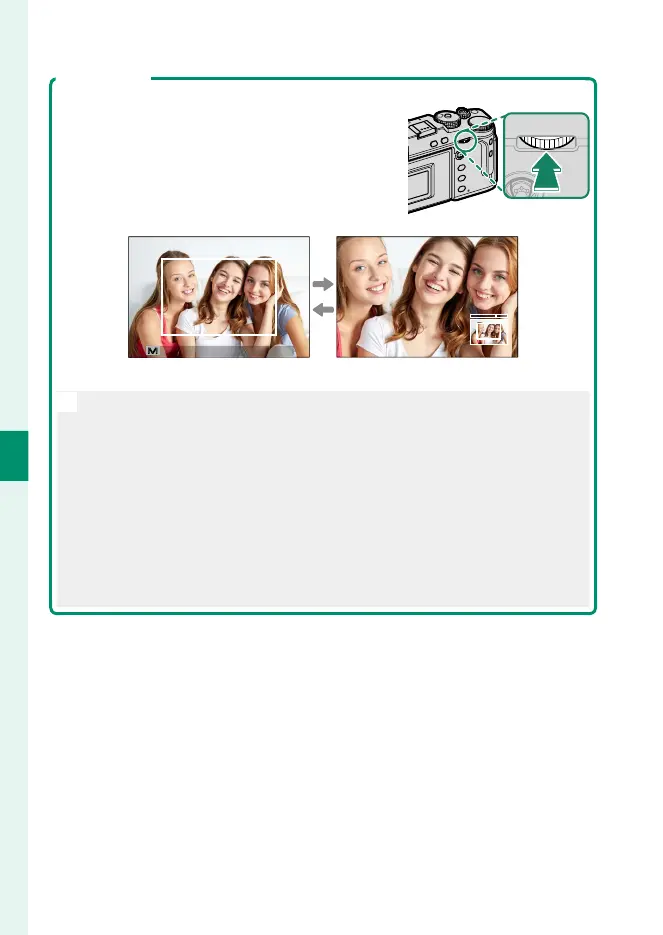
To zoom in on the current focus area for precise
focus, press the center of the rear command
dial. Use the focus stick (focus lever) to choose
another focus area. Press the center of the rear
command dial again to cancel zoom.
㹋
Normal display Focus zoom
N
•
In focus mode S, zoom can be adjusted by rotating the rear command
dial.
•
The focus stick can be used to select the focus area while zoom is in
e ect.
•
In focus mode S, select r SINGLE POINT for AF MODE.
•
Focus zoom is not available in focus mode C or when
G AF/MF
SETTING>
PRE-AF is on.
•
Use D BUTTON/DIAL SETTING> FUNCTION (Fn) SETTING to
change the function performed by the center of the rear command
dial. You can also assign its default function to other controls
(P 248).



 To Next Page