Ports and operating element s
Easy Launch keys
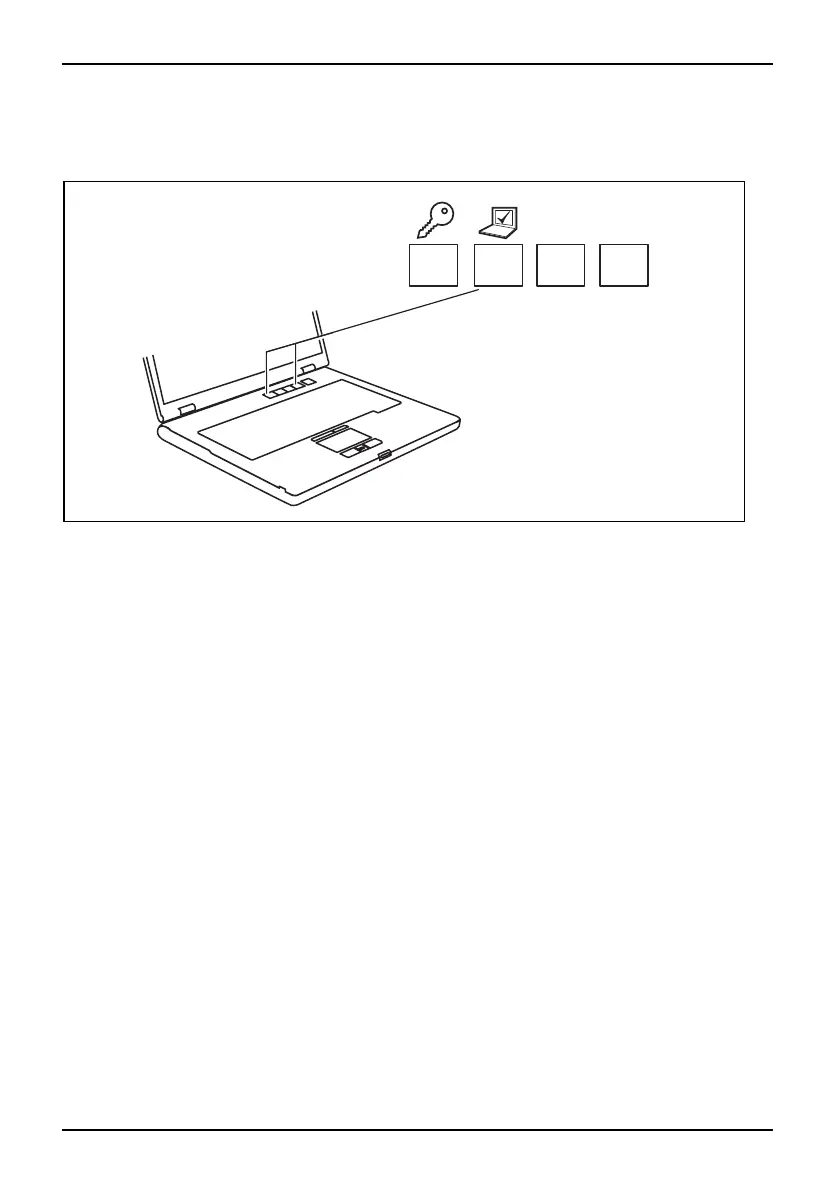
EasyLaunch keys
Your notebook is equipped with four Easy Launch keys.
RE
Lock Workstation key
This key allow s you to lock your workstation. H owever, you can also config ure this key as desired.
Mobility Center key
This button starts the Mobility Center. However, you can also configure this key as desired.
E key
The E key is a simple way of activating and deactivating power management functions (e.g.
reduce screen brightness), see the "Professional Notebook" manual.
R key (recovery)
Pressing the R key opens a dialog window in which you ca n backup or restore data.
Configuring Easy Launch keys
The Applic ation Panel allows you to assign various functions to the Easy Launch keys.
Windows XP:
You will find the Application Panel under Start - (Setting s ) - Control Panel - Additiona l
Control Panel Options - Application Panel.
Windows Vista:
You will find the Application P anel under Start symbol - Programs - Lifebook Application Panel.
14 A26391-K225-Z120-1-7619, edition 1


 To Next Page