Removing and installing components
during servicing
1
a
2
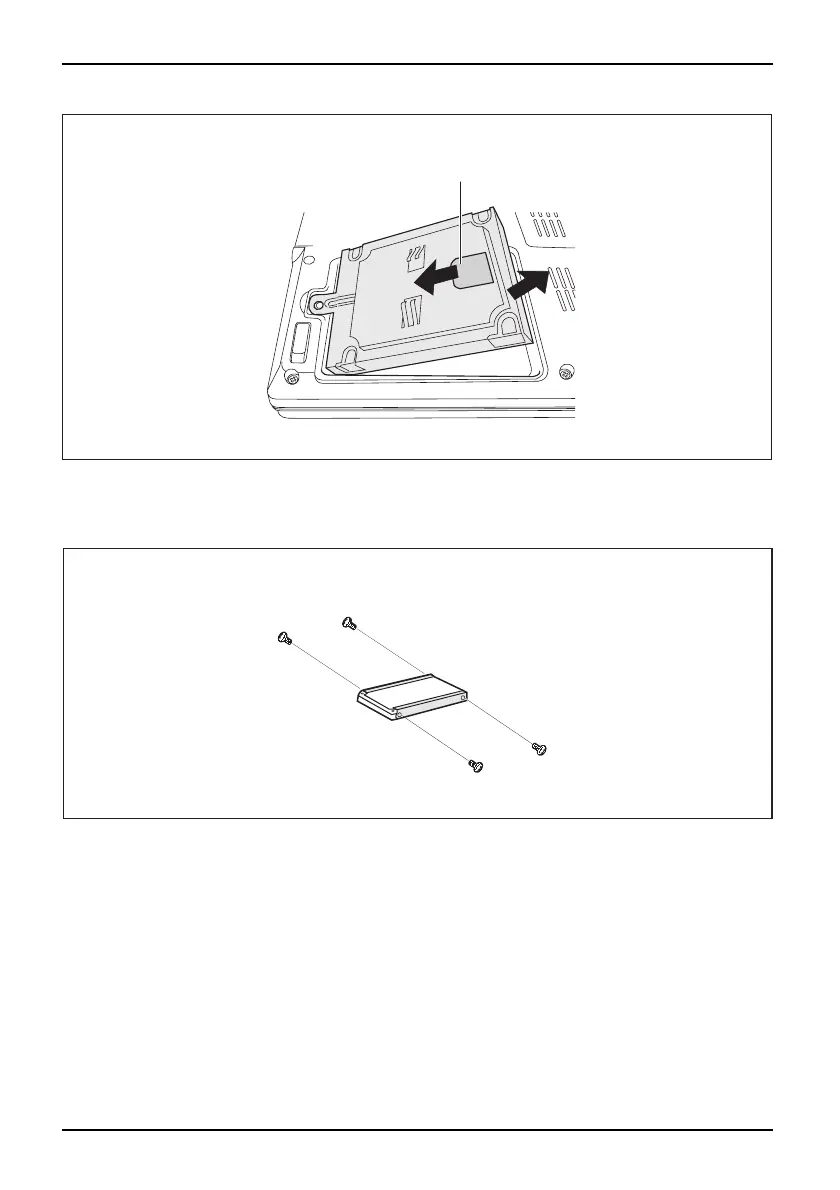
► Grasp the hard disk by the pulling aid (a) and pull in the dire ction indicated by t he a rro w (1).
The hard disk separat
es from th e disk connector.
► Lift the hard disk out of the hard disk compartment (2).
1
1
1
1
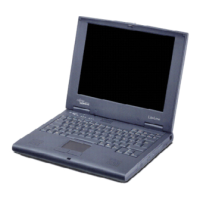
► Loosen the screws (1) of the hard disk carrier.
► Remove the hard disk from the hard disk carrier.
22 A26391-K225-Z120-1-7619, edition 1


 To Next Page