- (01 - 22) -
DUCT TYPE
ARGA18-25FMTA
DUCT TYPE
ARGA18-25FMTA
EXTERNAL INPUT & OUTPUT10.
EXTERNAL INPUT10-1.
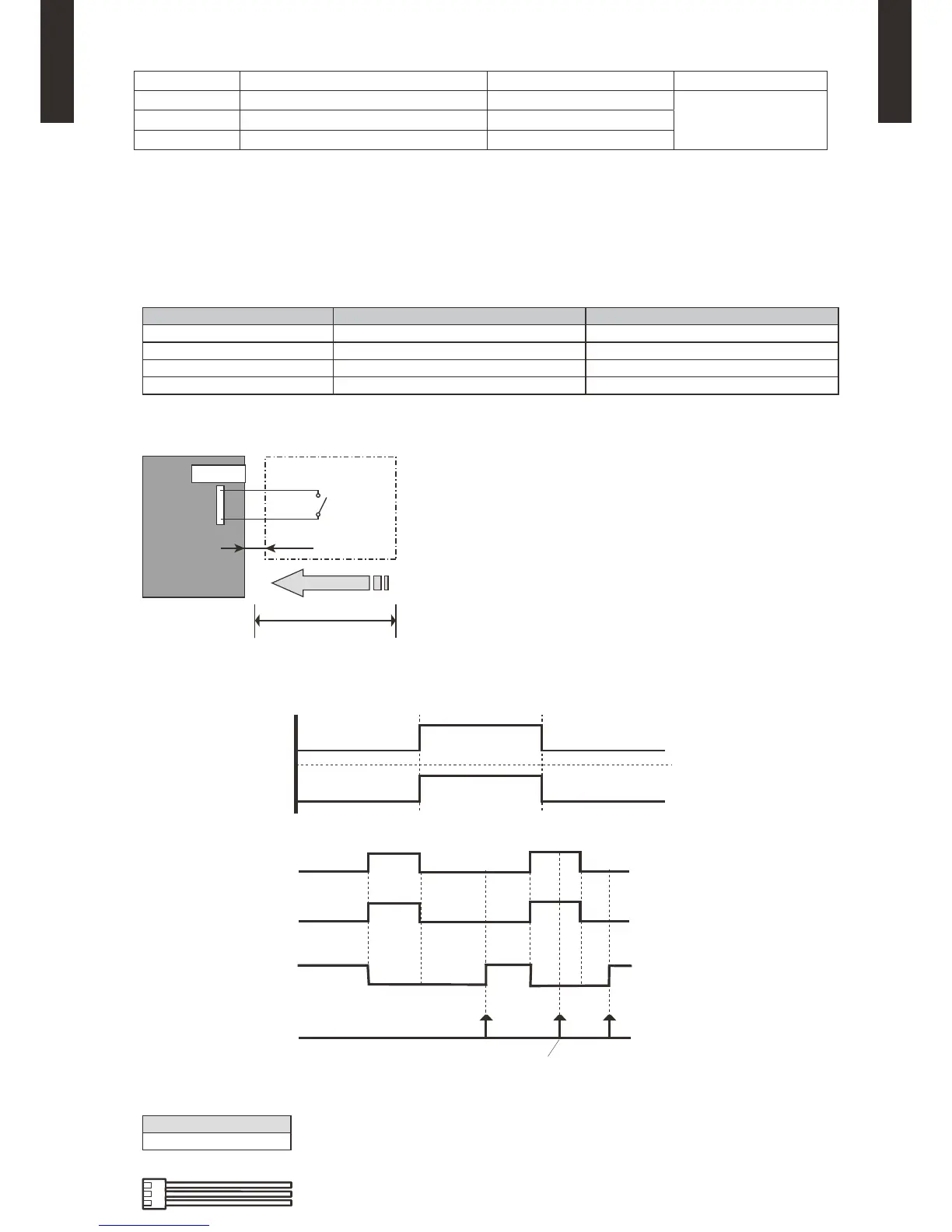
CONTROL INPUT (Operation/Stop or Forced stop)
The air conditioner can be remotely operated by means of the following on-site work.
"Operation/Stop" mode or "Forced stop" mode can be selected with function setting of indoor unit.
Unit operation is started at the following contents by adding the contact input of a commercial ON/OFF switch to a
connector on the external control PC board and turning it ON.
Unit operation InitialsettingafterpowerisON Starting mode other than initial setting
Operation mode Auto changeover Mode at previous operation
Set temperature 24°C Temperature at previous operation
Airow mode AUTO Mode at previous operation
Air direction (swing) Standard air direction (swing OFF) Air direction at previous operation
Circuit diagram example
z
Indoor unit
control PC board Connected unit
Ex.) Switch
Connector
1
3
Signal
Locally purchased
*: Make the distance from the PC board to the connected unit within 10 m.
Contact capacity: DC 24 V or more, 10 mA or more.
Please use non-polar relays and switches.
*10 m
Parts (Optional)
z
Model name
UTD-ECS5A
Wire (External input)
Connector INPUT OUTPUT REMARKS
CN102 Control input —
See external
input/output settings for
details.
CN103 — Operation status output
CN6 — Fresh air control output



 To Next Page