Getting s tarted
1
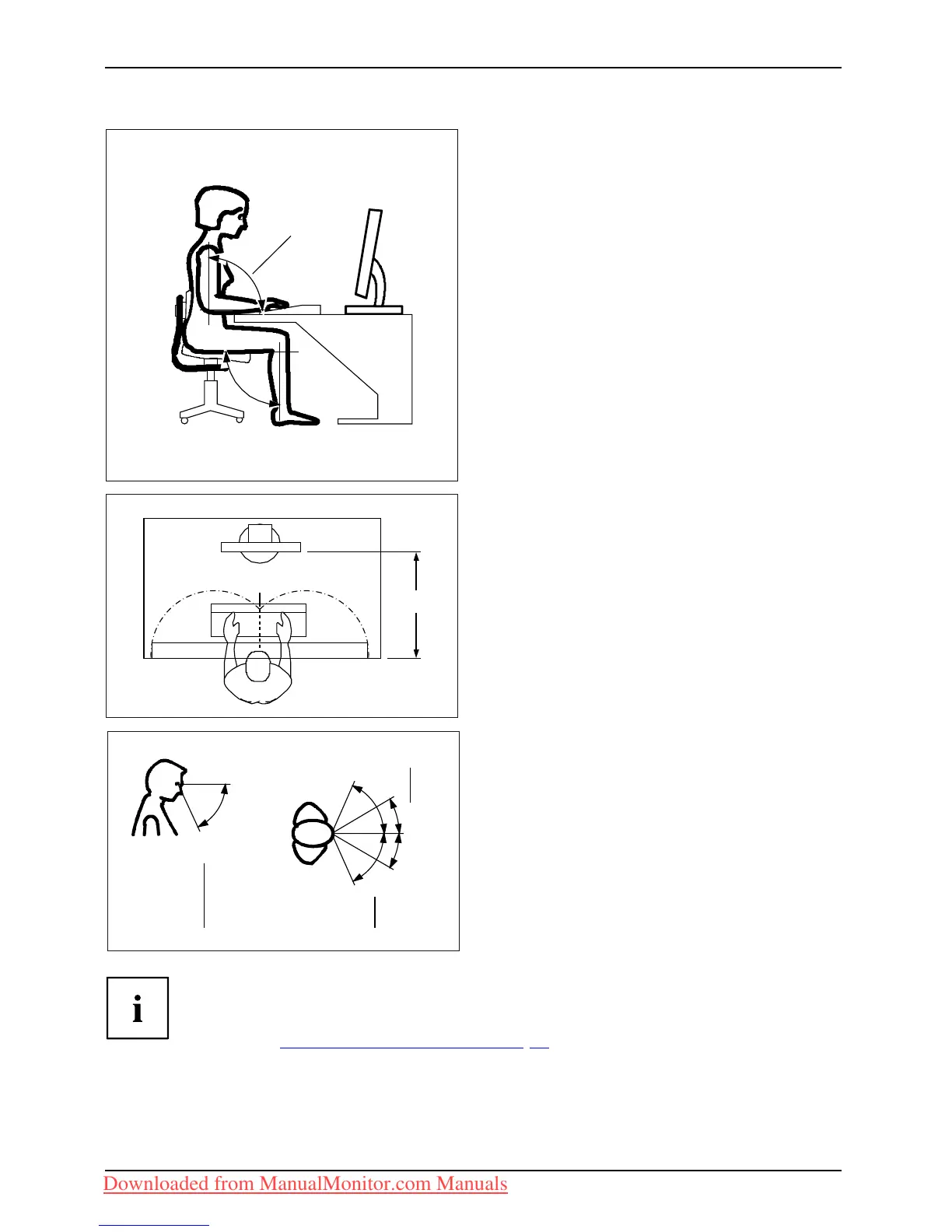
► Position the keyboard where it is
easiest to reach (1).
1
50 cm
► Position the monitor so that the eye distance
to the screen (1) is around 50 cm.
30
30
65
65
0
60
1
22
► Position the mo nitor fo r optimum viewing
(1). The monitor should under no
circumstances fall outside the permissible
viewing space (2).
Depending on the situation, it may be advisab le to use a swivel arm or wall
bracket (VESA FP MPMI), which are available from specialist dealers. For
this purpose the monitor base must be removed beforehand as described
in Chapter "
Removing monitor base", Page 15.
12 Fujitsu Technology Solutions
Downloaded from ManualMonitor.com Manuals



 To Next Page
 Loading...