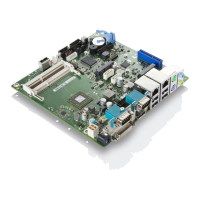
Mainboard D3358 English - 1
Fujitsu 37
Content
Overview Mainboard D3358............................................................................................................... 2
Mainboard D3358................................................................................................................................ 4
Notational conventions ......................................................................................................................... 4
Important notes..................................................................................................................................... 5
Information about boards ............................................................................................................. 5
Hardware Specifications....................................................................................................................... 7
Block Diagram ...................................................................................................................................... 9
System security features .................................................................................................................... 10
Basic security features ............................................................................................................... 10
Trusted Platform Module (TPM) ................................................................................................. 10
Choose Proper Parts for Your System........................................................................................... 11
Central Processor Unit (CPU) Considerations ................................................................................... 11
System Memory Interface................................................................................................................... 11
BIOS POST-Codes (Port 80 status indicators)................................................................................... 12
Power Supply Considerations ............................................................................................................ 19
Board Installation ............................................................................................................................. 20
Intrusion connector (internal).............................................................................................................. 20
PC2009 PSU Connector (PC2009) .................................................................................................... 20
Front panel pin connector (internal).................................................................................................... 21
Communication connectors................................................................................................................ 21
Ports for memory devices................................................................................................................... 23
System monitoring and management connectors .............................................................................. 23
Configuration jumper on front panel pin connector............................................................................. 23
COM1 Ports........................................................................................................................................ 24
TPM jumper........................................................................................................................................ 24
Installing the Memory ......................................................................................................................... 25
Memory Installation Procedure........................................................................................................... 27
Installing the Processor and Heatsink ................................................................................................ 29
Mounting heat sink ..................................................................................................................... 31
Installing Add-In Cards ....................................................................................................................... 32
Connecting External Devices ............................................................................................................. 33
External ports ............................................................................................................................. 33
Replacing lithium battery ............................................................................................................ 34
BIOS update ....................................................................................................................................... 35
When should a BIOS update be carried out?............................................................................. 35
How does a BIOS update work? ........................................................................................................ 35
BIOS Recovery................................................................................................................................... 35
Glossary ............................................................................................................................................ 36



 To Next Page