18
1.4 Correcting skewed documents
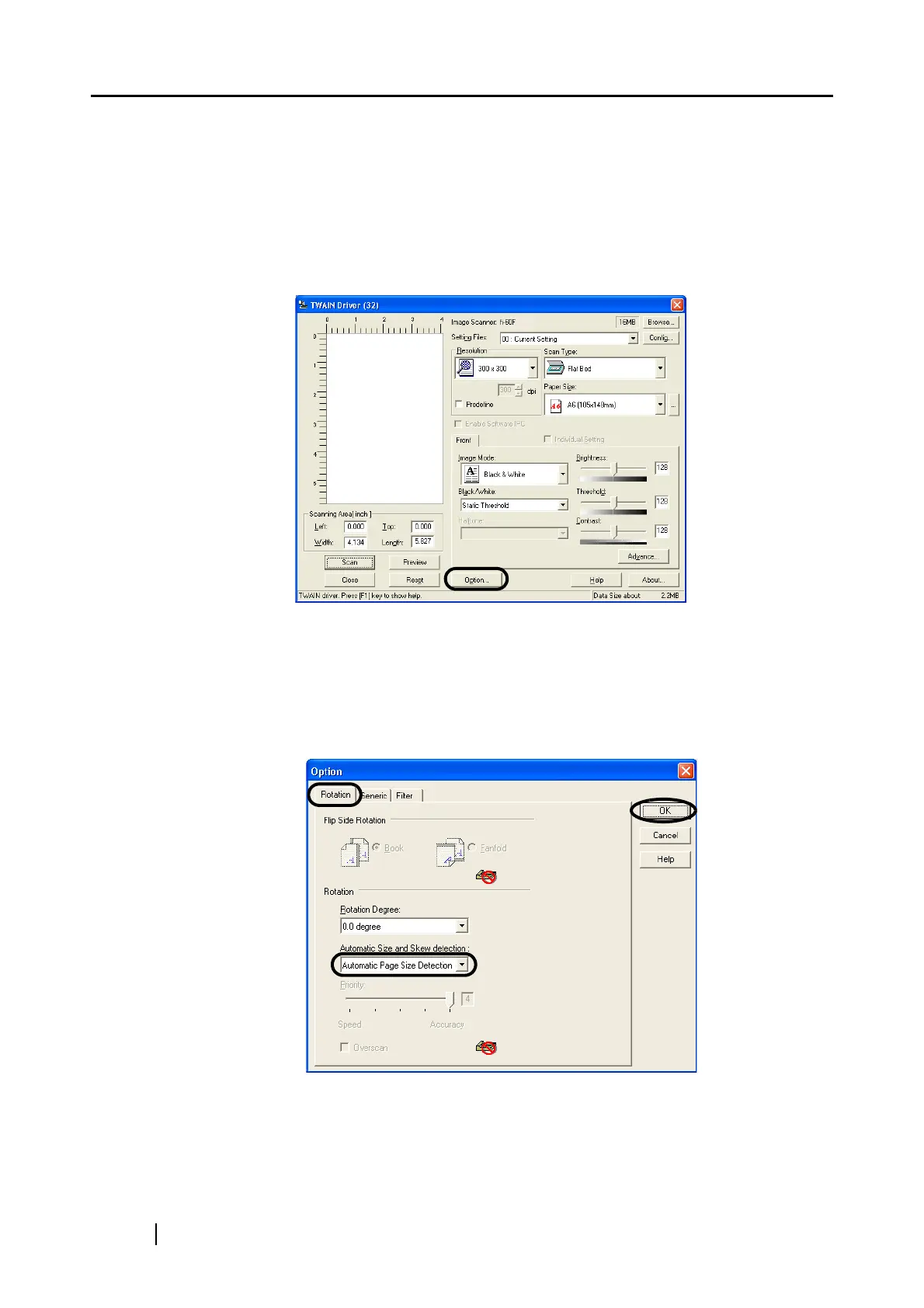
You can set the scanner so that skew of documents are detected and corrected automatically when
skewed documents are fed into the ADF. Change the setting in the [TWAIN Driver] dialog box to
enable this function. The following shows the procedure for changing the setting in the dialog box:
1. Click [Option] button in the [TWAIN Driver] dialog box.
⇒ The [Option] dialog box appears.
2. Click the [Rotation] tab.
3. Select the [Automatic page size detection ] from the [Automatic Size and Skew Detec-
tion] menu.
4. Click the [OK] button. The display returns to [TWAIN Driver] dialog box. Perform the
scanning operation on the dialog box.












 To Next Page