EasyManua.ls Logo

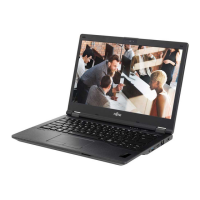
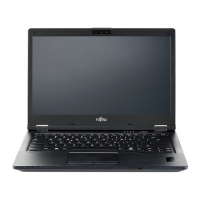
Fujitsu LIFEBOOK E549 - User Manual

Fujitsu LIFEBOOK E549
111 pages
Print Icon
To Next Page IconTo Next Page
Loading...
System
Operating Manual
FUJITSU LIFEBOOK E549
FUJITSU LIFEBOOK E559

Table of Contents

Questions and Answers

  • S
    Shannon MaxwellAug 16, 2025
    What to do if my Fujitsu LIFEBOOK E549 Laptop does not start after switching it on?
    • E
      Erin MeyersAug 17, 2025
      If your Fujitsu Laptop doesn't start, there could be a few reasons. First, ensure the battery is correctly installed in its compartment. If that's not the issue, the battery might be dead; try charging it, inserting a charged battery, or connecting the AC adapter. Finally, check that the AC adapter is properly connected to the laptop.
  • H
    heidimorrisonAug 19, 2025
    How to fix the Fujitsu LIFEBOOK E549 Laptop LCD screen if it remains blank?
    • P
      Pamela GambleSep 12, 2025
      If your Fujitsu Laptop's LCD screen remains blank, try pressing any key or touching the touchpad to see if the screen is switched off. If you have an external monitor or television connected, press the key for changing over the screen output.
  • Y
    ylaneAug 22, 2025
    Why is the wireless connection to a network not working on my Fujitsu LIFEBOOK E549 Laptop?
    • E
      elizabeth28Aug 22, 2025
      If the wireless connection to a network is not working, first ensure that the wireless component is switched on. If it is on but the connection still doesn't work, check whether the wireless connection is enabled by the software.
  • S
    Steven BlakeAug 25, 2025
    Why when I enter characters on the keyboard of my Fujitsu Laptop, only numerals are written?
    • A
      alyssa91Aug 25, 2025
      If only numerals are written when you enter characters on the keyboard of your Fujitsu Laptop, the virtual number keys of your device are activated. Press the Num button.
  • S
    Susan WatkinsAug 27, 2025
    Why does my Fujitsu Laptop stop working?
    • P
      Patricia MoranAug 27, 2025
      Your Fujitsu Laptop might stop working due to several reasons. It could be in energy-saving mode, so try ending that mode. An application program might have caused a malfunction; try closing the application or restarting the laptop. Also, the battery might be dead; in this case, charge the battery, insert a charged one, or connect the AC adapter.
  • H
    Hannah WhiteAug 30, 2025
    What to do if the external monitor remains blank when connected to my Fujitsu LIFEBOOK E549 Laptop?
    • K
      Kyle WalkerAug 30, 2025
      If the external monitor remains blank, first ensure it is switched on. Check if power saving has been activated by pressing any key. Adjust the brightness of the monitor. Ensure the screen output is not set to the notebook’s LCD screen. Verify that the AC cable and data cable are properly connected to both the external monitor and the Fujitsu Laptop, then switch both devices on.
  • R
    Robin WhiteSep 2, 2025
    How to fix if the printer does not print from my Fujitsu LIFEBOOK E549 Laptop?
    • S
      Sharon Ellis DDSSep 2, 2025
      If the printer does not print, ensure that it is switched on and ready for operation. Check that the data cable connecting the Fujitsu Laptop to the printer is properly connected. Verify that the correct printer driver is loaded.
  • J
    Julian SolomonSep 7, 2025
    How to improve readability if the LCD screen of my Fujitsu LIFEBOOK E549 Laptop is difficult to read?
    • B
      bvasquezSep 7, 2025
      If the LCD screen of your Fujitsu Laptop is hard to read, it may be due to reflected glare; try turning the laptop or adjusting the tilt of the screen. You can also increase the brightness of the screen.
  • M
    Mary WardSep 10, 2025
    What does it mean if my Fujitsu Laptop makes acoustic warnings?
    • A
      Austin ElliottSep 10, 2025
      If your Fujitsu Laptop beeps every few seconds, it means the battery is almost dead. Charge the battery.
  • M
    Morgan ByrdSep 13, 2025
    What to do if the Smart Card reader is not recognized by my Fujitsu LIFEBOOK E549 Laptop?
    • S
      stephenrossSep 13, 2025
      If the Smart Card reader is not recognized, check that you have inserted your SmartCard correctly. Also, ensure that the Smart Card you are using is supported and complies with the ISO standard 7816-1, -2, -3, and -4.

Summary

Declarations of Conformity

Ports and Controls

Important Notes

Safety Instructions

Essential safety information and warnings for notebook operation.

Radio Component Safety Notes

Specific safety guidelines for wireless LAN and Bluetooth components.

First-Time Setup of Your Device

Unpacking and Checking Device

Procedure for unpacking and inspecting the notebook for transport damage.

Connecting the AC Adapter

Steps for connecting the AC adapter to power the device.

First Time Device Power-On

Instructions for initial startup and system installation.

Working with the Notebook

Notebook Power Management

Procedures for powering the notebook on/off and managing energy saving.

Keyboard and Input Devices

Details on keyboard, hotkeys, touchpad, and input device operations.

Port Replicator Usage

Connecting, powering, and disconnecting the notebook from the port replicator.

Security Functions

Password Security

Configuring password protection for BIOS, OS boot, and hard disk.

Connecting External Devices

Removing and Installing Components During Servicing

Hard Disk Drive Installation;Removal

Procedures for installing and removing the hard disk drive.

Settings in BIOS Setup Utility

Starting the BIOS Setup Utility

Procedure for accessing the BIOS Setup Utility during system startup.

Troubleshooting and Tips

General Problem Solving

Steps to take when encountering unresolved issues with the notebook.

Connectivity and Hardware Issues

Resolving problems with external monitors, hardware, and wireless connections.

Error Messages on the Screen

Explanation and solutions for common BIOS error messages.

Technical Data

Appendix

System Recovery and Driver Updates

Procedures for system recovery, backup, and driver updates.

Fujitsu LIFEBOOK E549 Specifications

General IconGeneral
ProcessorIntel Core i5-7200U
Storage256 GB SSD
GraphicsIntel HD Graphics 620
Operating SystemWindows 10 Pro
WirelessWi-Fi 802.11ac, Bluetooth 4.1
RAM8 GB
Display14-inch
Resolution1366 x 768
Battery LifeUp to 10 hours
PortsHDMI, Ethernet

Related product manuals