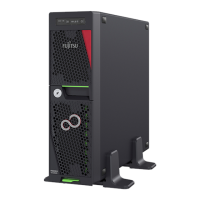
TX1330 M3
Operating Manual 17
Accessible drives
The server has three 5.25-inch bays that can be used in various ways:
The individual bays can be equipped with any 3.5-inch drives (height:1.6 inch).
You can install a multibay (DVD-LSD/LSP) in the top bay. You can install a
slimline DVD drive and the ServerView Local Service Display or ServerView
Local Service Panel in the multibay (DVD-LSD/LSP).
As an option for the top bay, a slimline DVD / backup drive cage is available.
I Please note the following:
– A DVD drive must have been installed in order to operate the server.
– The accessible drives cannot be replaced during operation.
– You are required to open the drive cover of system when you access
to the 5.25-inch drives.
Power supply
In its basic configuration the server has a standard PSU or a hot-plug PSU that
adjusts automatically to any mains voltage in the range 100 V - 240 V. Besides
the hot-plug PSU, a second hot-plug PSU can be installed optionally to serve
as a redundant power supply. If one PSU fails, the second PSU in the redundant
configuration ensures operation can continue uninterrupted.
Fujitsu battery unit
FJBU behaves as a modular UPS in the server. When power fail happened, the
server can operate by FJBU battery for a while.
FJBU supports hot plugging, and can be replaced during operation.
You can download the management software (FJBU management software) for
the following OS:
– Windows Server 2012 R2, Windows Server 2012, Windows Server 2016
– Windows Server 2008 R2 SP1, Windows Server 2008 R2 SP2
I FJBU (Fujitsu battery unit) management software is not available in Red
Hat Enterprise Linux environment. Please use the IPMI function at Linux
environment. The TX1330 M3 will support VMware.



 To Next Page
 Loading...