53
2: Set all your front panel input GAIN and EQ (HF, MID and BASS) controls,
initially, to the 12 o’clock position.
3: With typical input signal levels – and the appropriate input source selected
for each channel strip, of course - adjust the rear panel input channel gain
trims so that the 5-segment input meters are towards the top of the green
section with only the occasional very brief excursions into the amber.
Important note!
Never run your input levels into the red as this would indicate input clipping.
Broadband input clipping will sound very unpleasant in the main listening area. And you
certainly won’t be able to “fix it in the mix” with further EQ or, even worse, compression.
Further processing will simply make matters worse.
Once calibrated, you can then use the GAIN and EQ controls to adjust for different programme
material. But always use EQ sensitively. Excessive EQ may sound impressive, initially, but will
quickly cause listener fatigue and irritate your audience.
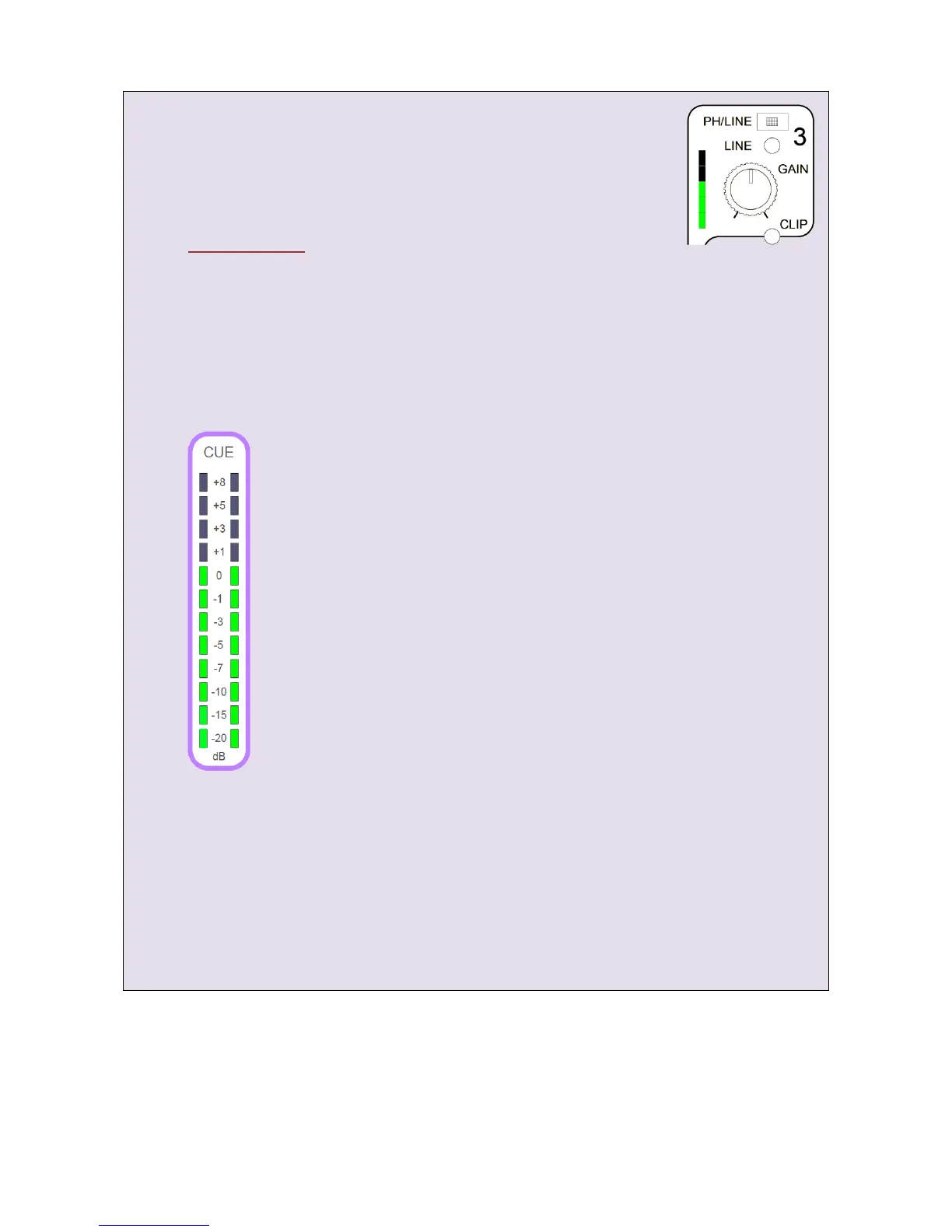
If you wish, you can also finely adjust your input levels using the Cue meter via the
input channel strip CUE buttons. Make sure the CUE BAL control is set fully counter
clockwise to CUE. Once you’ve initially set the healthy input levels above, finely
adjust for Cue meter levels between -3dB and 0dB with one channel Cued or
between 0dB and +3dB with two channels Cued.
Notes
If you run out of gain adjustment or run into constant distortion, your input may be
plugged into an inappropriate input socket, you may have the wrong input selected
or your rear panel phono/line selectors may be wrongly set. Re-patch or reset as
necessary.
If your mic signals are too weak, even with the gain control above the 3 o’clock
position, it’s worth checking your mic specifications in case the mic needs phantom
power.
If your input signal levels are too high and input media player operations sometimes
create a loud bang, check that your external source isn’t inadvertently patched to a
phantom-powered mic socket!
4: With a healthy signal level on one input, make sure neither A nor B X-Fade buttons are pressed
(very important) and set the input fader to approximately 80% - two lines down from maximum.
5: With your system controllers or power amplifiers muted, initially, adjust your MASTER LEVEL so
that your master output meter indicates a level appropriate for your amplifier/ loudspeaker
sensitivity. The output meter is calibrated in dBu where 0dB = 0dBu (0.775vrms). See sections 9
and 11 for further information on system patching, limiter settings, amplifier gains etc.
Keep this configuration – with your system controllers or power amplifiers still muted – and use it to
set up your inserts and loops for outboard effects
www.funktion-one.com © Funktion One Research Limited 2011


 To Next Page