10. C-MAP CHARTS
10-3
10.6 Chart Display
10.6.1 Introduction
The two type of C-MAP charts can be displayed together. These charts have the pri-
ority order shown below.
1) CM- ENC
2) C-MAP PROFESSIONAL+
If both types of navigational purpose charts are available for an area, priority is as
shown above. In areas where CM-ENC is not available CM PROFESSIONAL+ charts
are displayed.
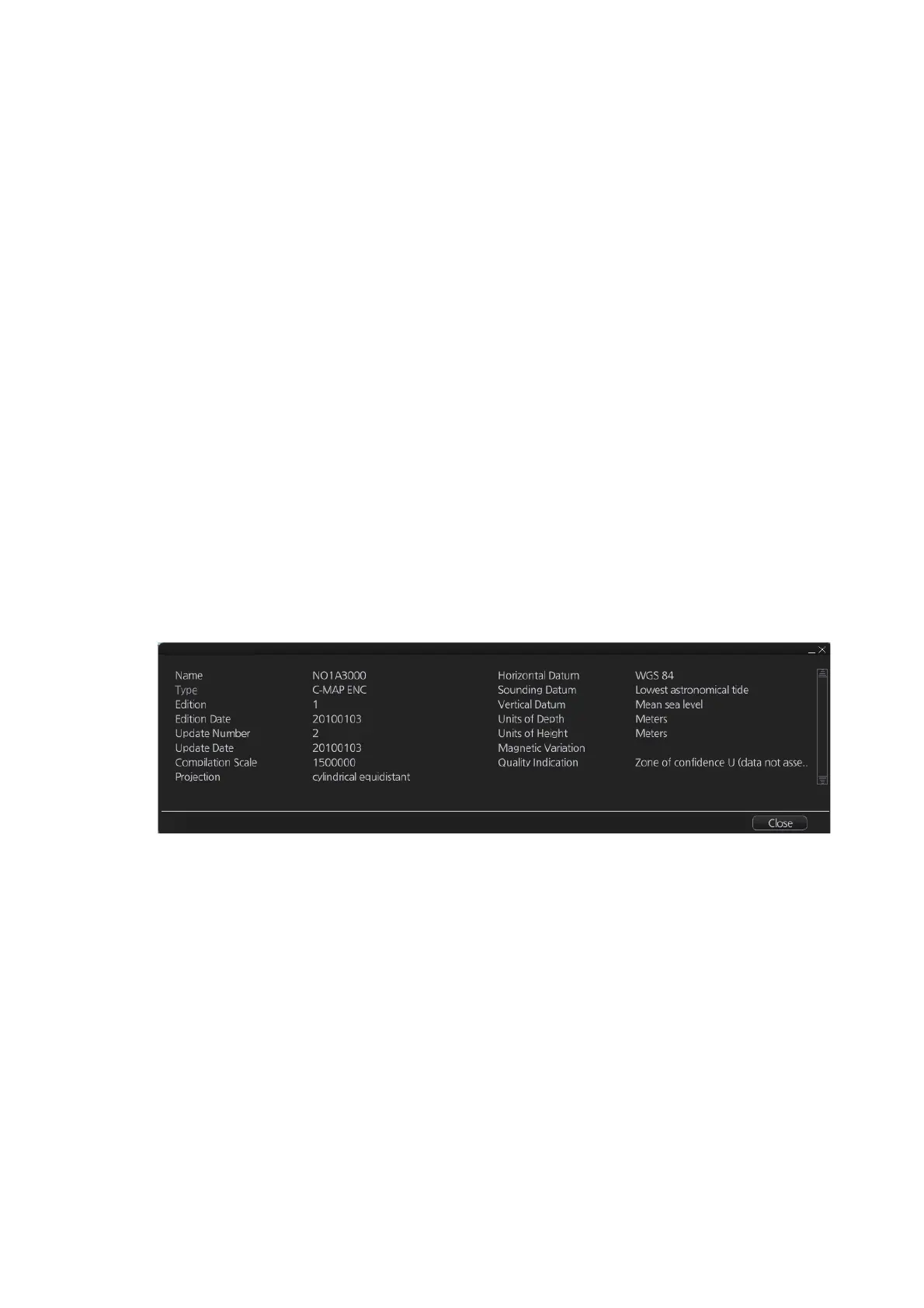
The chart legend provides various data about the chart currently displayed. To find
info use one of the following methods:
This system is capable of showing more than one chart at a time. This feature is called
the multi-chart display. If one chart does not cover the whole display, the system will
open more chart cells for display, if appropriate cells for the displayed area are avail-
able. The chart legend shows information about charts displayed on the electronic
chart display area.
[Name]: Name of chart.
[Type]: Type of chart.
[Edition]: Edition number of the chart.
[Edition Date]: Date the edition was published.
[Update Number]: Update number.
[Update Date]: Date of update.
[Compilation Scale]: The scale of the original paper chart is shown here.
[Projection]: Projection of current chart.
[Horizontal Datum]: Horizontal datum used with current chart.
[Sounding Datum]: Datum used to create sounding data.
[Vertical Datum]: Vertical datum used with current chart.
[Units of Depth]: Unit of depth used with current chart.
[Units of Height]: Unit of measurement to measure height of objects above sea level.
[Magnetic Variation]: Amount of magnetic variation. Positive values indicate a change
in an easterly direction and negative values indicate a change in a westerly direction.
[Quality Indication]: Quantitative estimate of the accuracy of chart features, given by
the chart producer.
• For current position: Click the [TM/CU Reset] button while in the Voyage navigation
mode then click the [Chart INFO] button on the InstantAccess bar™ followed by the
[Chart Legend] button.
• For a specific location: Put the cursor on the location then right-click and select [Chart
Legend]. Click the [Close] button to close the display.



 To Next Page