22-1
22. SETTINGS MENU
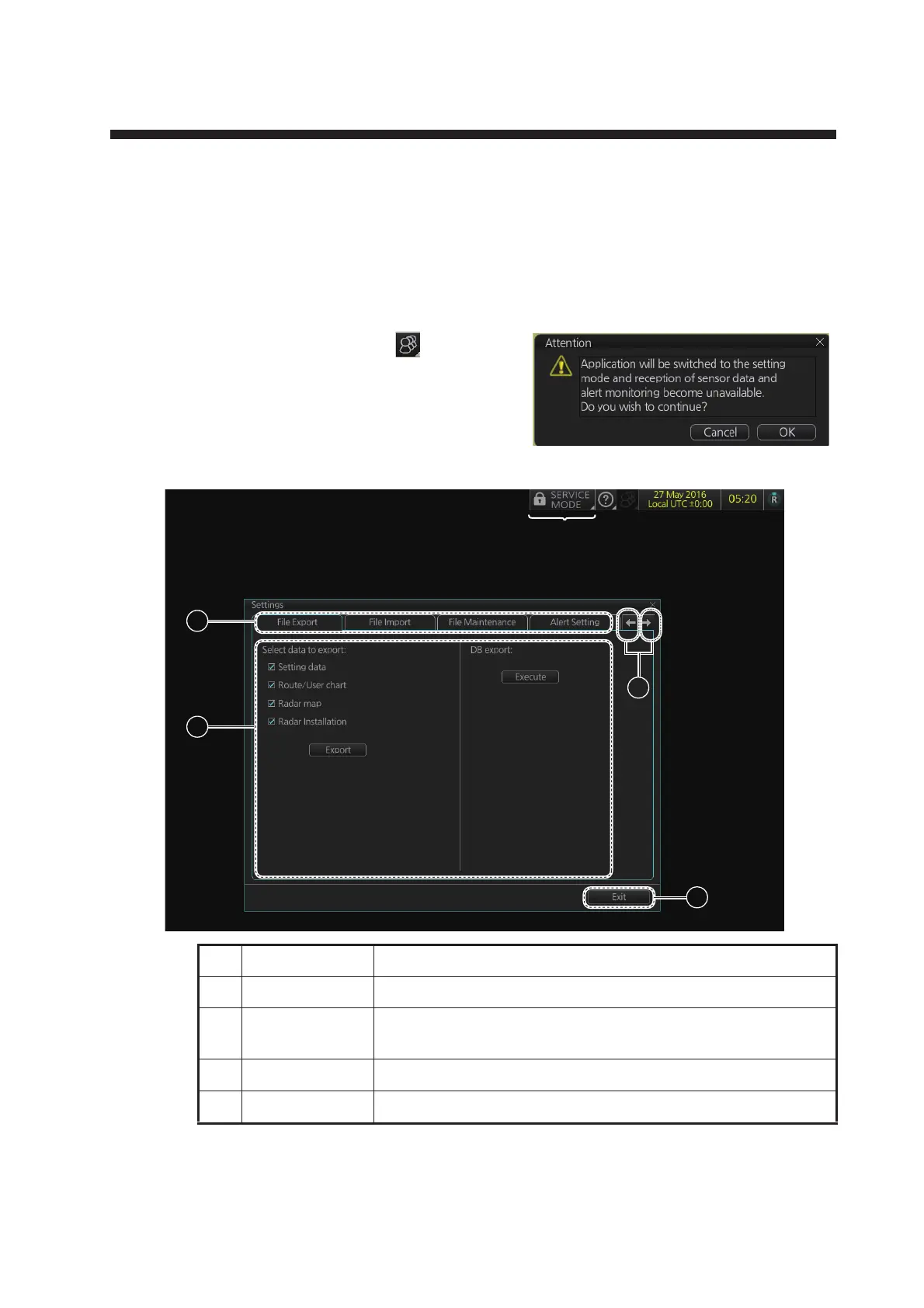
The [Settings] menu provides file import, export and maintenance, alert settings, test-
ing facilities (display, keyboard, self test), data sharing, customizing, screenshot pro-
cessing, and CCRP selection.
22.1 How to Access the Settings Menu
Click the Settings button ( ) on the Sta-
tus bar then select [Settings]. The right
message appears.
Click the [OK] button to show the [Settings]
menu.
To open a page, use the page selection buttons to select a page then click the tab of
the page required. The color of the border of the page selected is cyan.
No. Name Description
1 Pages (menus) Twelve menus.
2 Page selection
buttons
Scroll the [Settings] menu.
3 Menu area The menu for the selected page appears here.
4 [Exit] button Click to close [Setting] menu.
3
2
1
4
For the service technician



 To Next Page