1. OPERATION
9
3. Select the degree of interference reduc-
tion desired and press the ENTER key.
[Auto]: Interference is suppressed auto-
matically.
[High], [Medium], [Low]: [High] provides
the greatest degree of interference reduc-
tion and [Low] is the smallest.
[Off]: Turn off the interference rejector.
Note: Turn off the interference rejector
when no interference exists, so as not to
miss weak echoes from small targets.
4. Press the MENU ESC key twice to close
the window.
1.12 How to Reduce
Low Level Noise
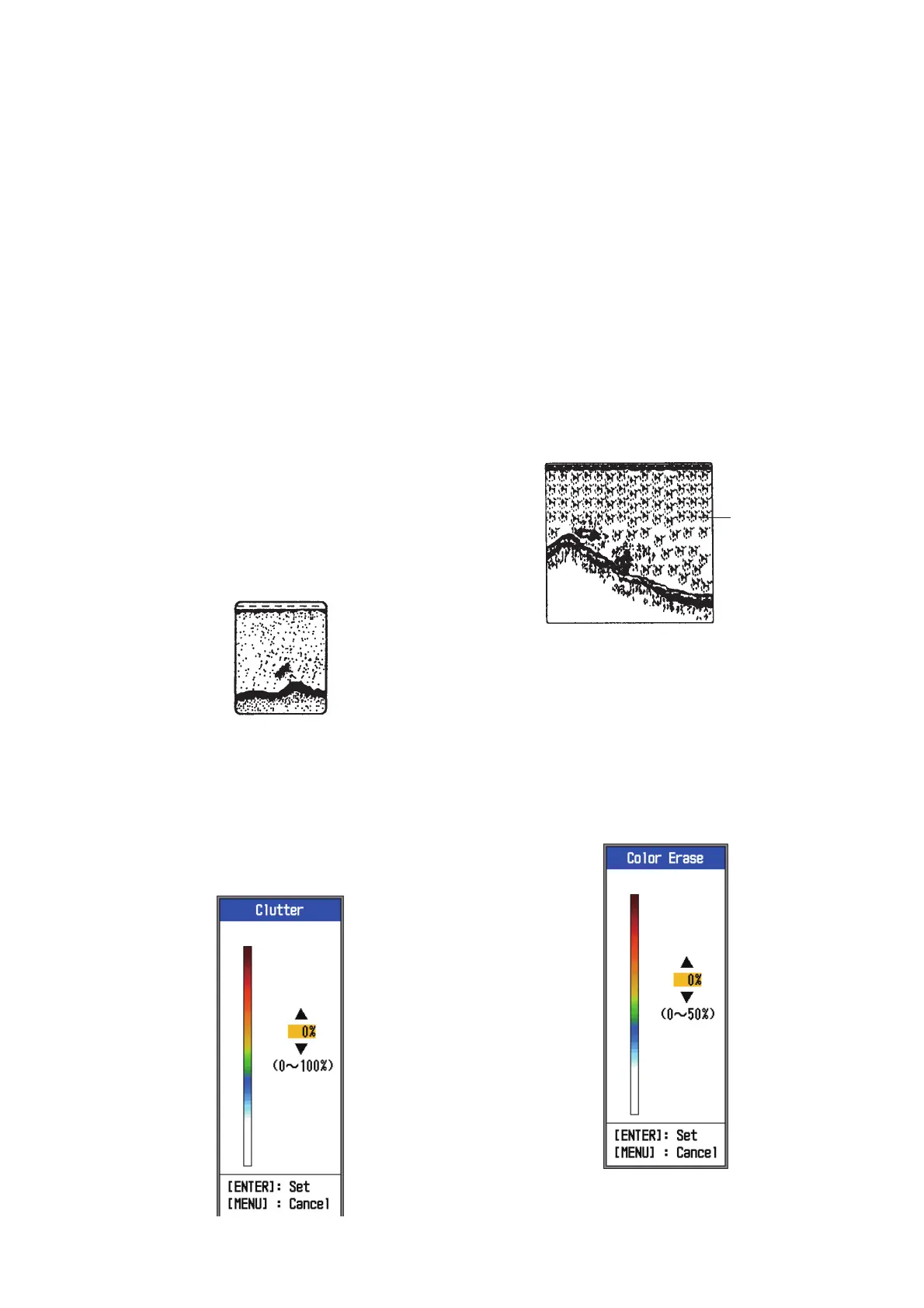
Low intensity “speckles”, caused by sedi-
ments in the water or noise, may appear over
most of screen. These speckles can be sup-
pressed by adjusting the [Clutter].
Note: [Clutter] cannot be adjusted when
[Fishing] or [Cruising] is selected (on the [Auto
Gain] setting window).
1. Open the menu, select [Sounder] and
press the ENTER key.
2. Select [Clutter] and press the ENTER
key.
3. Select the degree of clutter reduction de-
sired and press the ENTER key. The set-
ting range is 0% to 100% in intervals of
ten per cent. The larger the setting value,
the greater the degree of reduction.
4. Press the MENU ESC key twice to close
the window.
1.13 How to Erase Weak
Echoes
Sediment in the water or reflections from
plankton may be painted on the display in low
intensity tones.
These weak echoes may be erased by using
the [Color Erase] feature. This feature erases
weaker echoes sequentially to show only
strong echoes and clear the picture.
1. Open the menu, select [Sounder] and
press the ENTER key.
2. Select [Color Erase] and press the EN-
TER key.
Weak
echoes


 To Next Page