4. INSTALLATION
33
Output sentences
*: Available with connection of applicable sen-
sor or navaid.
Order of priority
4.9 Adjustments after
Installation
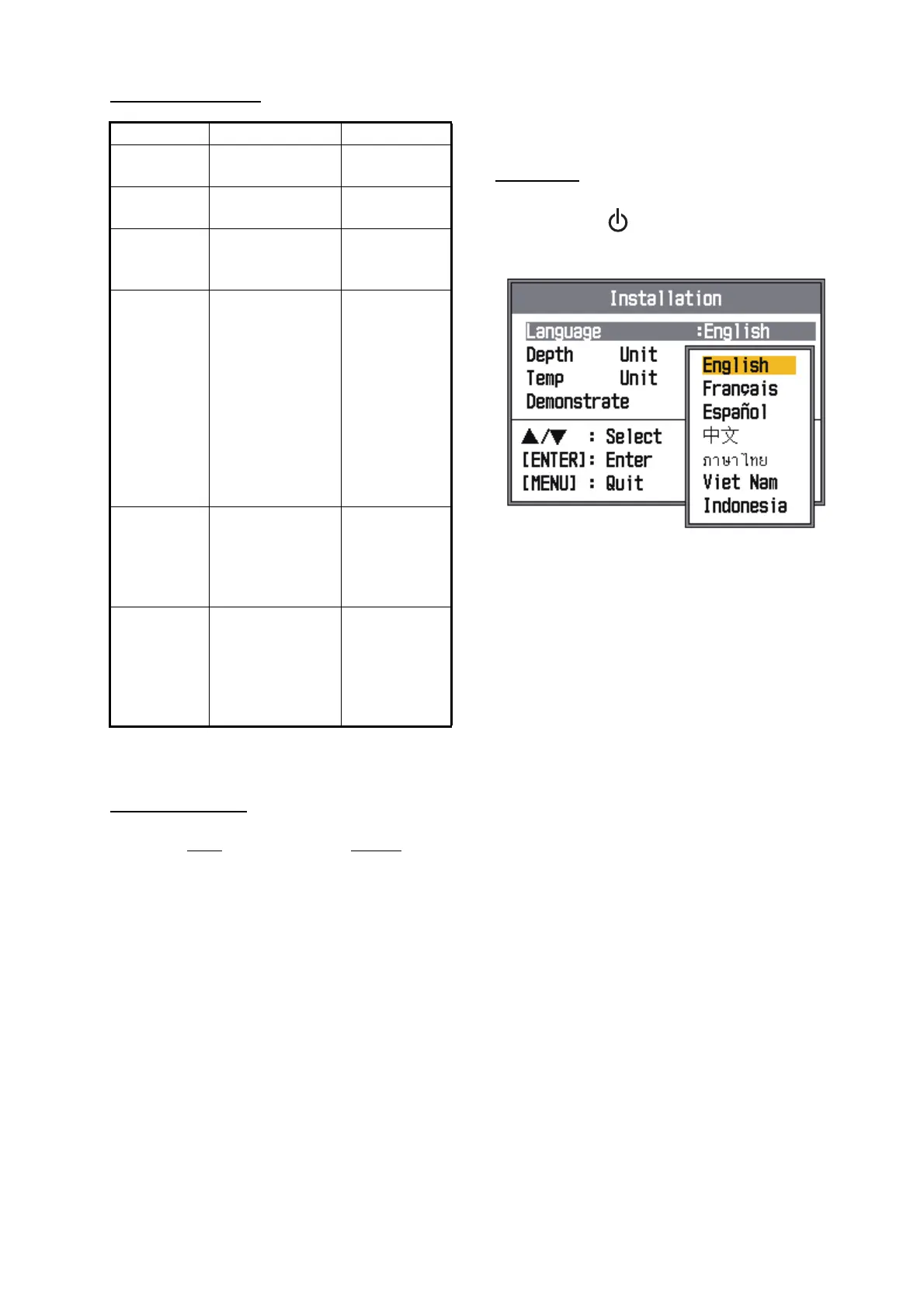
Language
1. Press the BRILL key to show the [In-
stallation] menu.
2. Select your language and press the EN-
TER key. The units for depth and water
temperature are set according to the lan-
guage selected.
3. Press the MENU/ESC key twice to finish.
Sentence Data Remarks
DBS Depth below
sea surface
DBT Depth below
transducer
DPT Depth below
transducer and
offset
MTW* Water
tempera-ture
Output only
when [Temp
Source] of
[Data] menu
is set to
[Own] and
data from a
water tem-
perature
sensor is
input.
TLL* Marker line
posi-tion
Output only
when MARK
or ENTER
key is
pressed.
VHW* Speed thru
water
Output only
when [Speed
Source] of
[Data] menu
is set to
[Own].
Data
Priority
Latitude/Longitude: GNS>GGA>RMC>
RMA>GLL
Course (true): VTG>RMC>RMA
Course (magnetic): VTG
Ground speed: VTG>RMC>RMA
Water speed: VHW
Heading (true): HDT>VHW
Heading (magnetic): HDG>VHW
Atmospheric pressure: MDA
Water temperature: MTW
Wind speed andangle
(true/apparent):
MWV



 To Next Page