2
1.1.1 Mounting procedure for control unit MCU-001
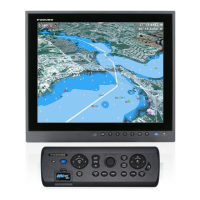
The control unit MCU-001 is designed to be flush mounted in a console or panel.
1. Prepare a cutout in the mounting location using the template sheet (supplied) for the MCU-
001.
2. Remove the front panel from the MCU-001 by unfastening the catches at the rear of the panel,
in the order as shown in the figure below.
Note: Detach the panel carefully to prevent breakage of the panel.
3. Attach the mounting sponge to the MCU-001.
4. Fix the MCU-001 by using four self-tapping screws (supplied).
5. Attach the front panel to the MCU-001.
How to detach the front panel from the mounting place
To detach the front panel after mounting the unit, use the remover (supplied) as below. Do not
attempt to remove it by any other method, to prevent damage to the unit.
1. Set the remover to the left-side notch at the bottom of the unit.
Mounting
sponge
MCU-001
Cutout
Self-tapping screws
(4 pcs.)
Front panel
1
2
3
4
5
6
MCU-001, rear view
(Location of catches and order to unfasten them)


 To Next Page