To Next Page

S
Steven AndersonJul 30, 2025
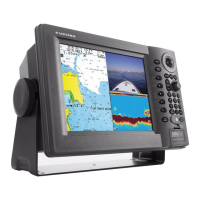
What to do if Furuno NAVnet 1722 Marine Radar display connectors are loose?
- KKimberly BrownJul 30, 2025
If the display connectors on your Furuno Marine Radar are loose, tighten them.

What to do if Furuno NAVnet 1722 Marine Radar display connectors are loose?
If the display connectors on your Furuno Marine Radar are loose, tighten them.
How to clean Furuno Marine Radar LCD display?
To clean the LCD of your Furuno Marine Radar, carefully wipe it with tissue paper and an LCD cleaner to avoid scratches. For dirt or salt, use an LCD cleaner and gently wipe with tissue paper to dissolve the deposits, changing the paper frequently to prevent scratching. Avoid solvents like thinner, acetone, or benzene.
What to do with ground wire problems in Furuno NAVnet 1722 Marine Radar?
If you are experiencing ground wire issues with your Furuno Marine Radar, clean or replace the ground wire as needed.
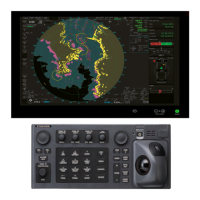
Details the controls for the display unit and remote controller for operating the radar system.
Diagram and explanation of the components and information shown on the radar display screen.
Instructions on entering, editing, erasing, and searching for waypoints using various methods.
Guidance on navigating to destinations using quick points, waypoints, ports, and routes.
Customization options for the radar display, including EBL reference, tuning, and color settings.
Settings for the plotter display, such as navigation options, chart attributes, and data boxes.
Customization of sounder functions like fish alarm sensitivity and sensor data calibration.
 General
| Display Size | 10.4 inches |
|---|---|
| Display Type | Color LCD |
| Resolution | 800 x 600 pixels |
| Power Output | 2.2 kW |
| Range | 36 nautical miles |
| Frequency | 9.41 GHz |
| Weight | 7.5 kg (16.5 lbs) |
| Radar Frequency | 9.41 GHz |
| Operating Temperature | -15°C to +55°C |
| Input Voltage | 12-24 VDC |