4. Operating System and Equipment
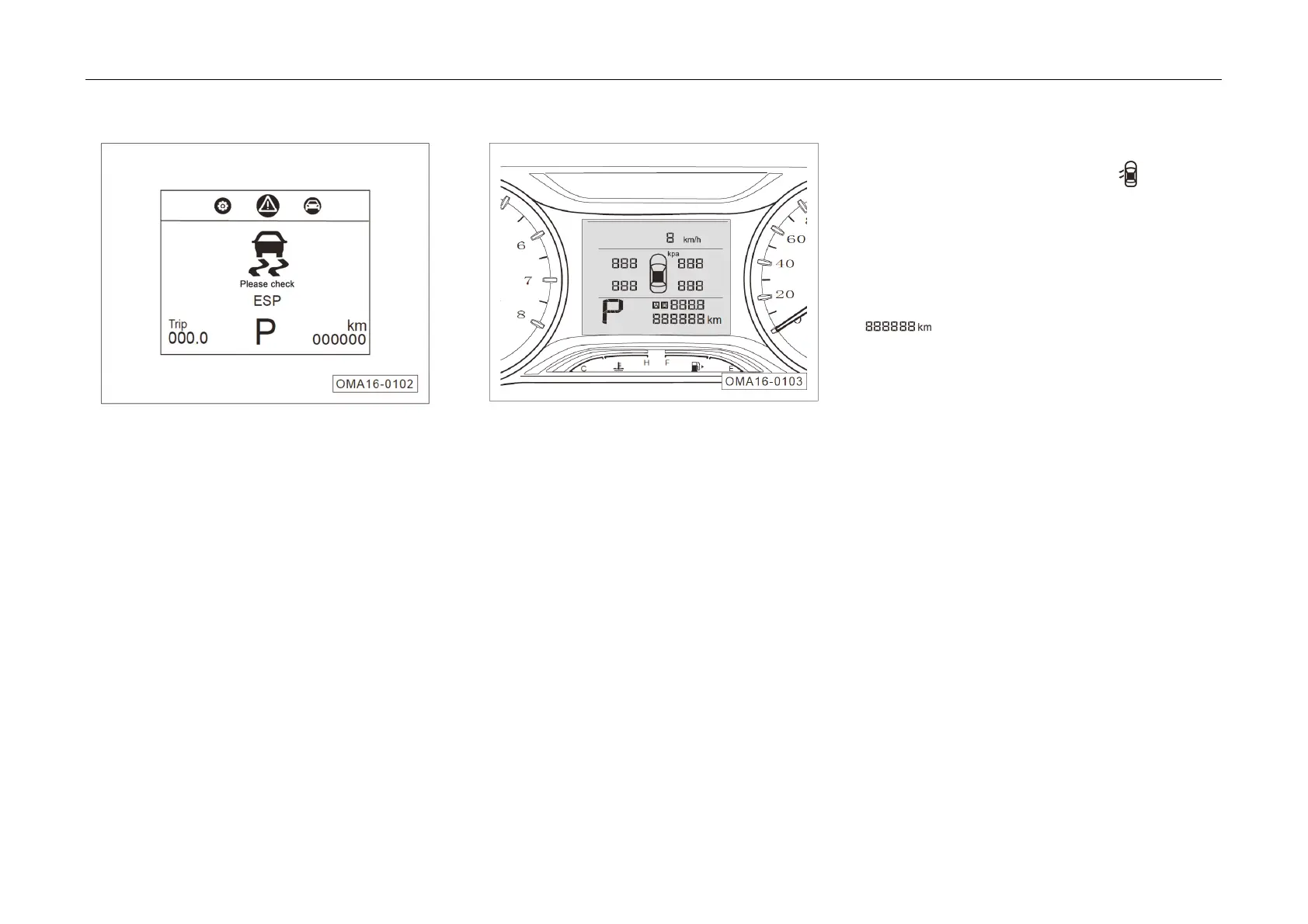
Graphic & Text Ala
rm Information*
When
the Start switch or ignition switch is at
"ON" position, press ◄/► button on the right side
of the steering wheel to enter the graphic & text
alarm information interface to check abnormal
alarm prompt information of the car.
– In case of any abnormality, the instrument
cluster prioritizes the display of graphic & text
alarm information which can be checked by
press the OK button.
– In the case of multiple graphic & text alarm
information, all the information can be checked
by continuously press the OK button.
– If the car is in good condition, the display
shows "The car is in good condition".
Instrument Cluster Display (TN Display)*
Displayed inf
ormation includes: door opening
indication information => Refer to Page 54, gear
information => Refer to Page 54, mileage
information => Refer to Page 54 and travel
information =>Refer to Page 54.
Door opening indication information
– Display icon hint information when any door,
engine hood or trunk lid is open.
Gear Information*
– The “P” location is used to indicate current
gear, for example, display P, R, N, D based on
received signal.
Mileage information
Total mileage
– Display range: 0 km~999999 km.



 To Next Page