11
Pulling out the appliance
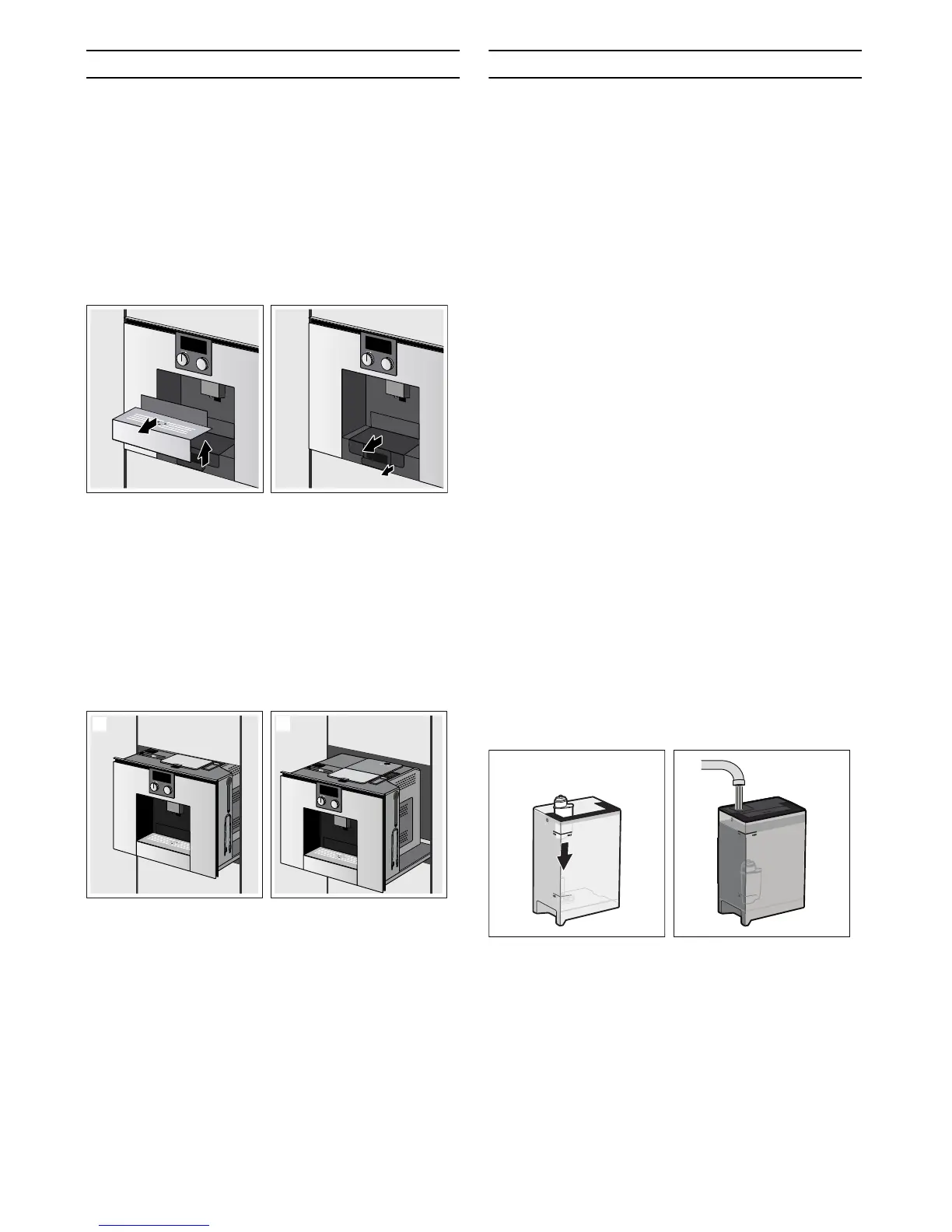
The appliance can be pulled out from the built-in unit.
There are two options:
▯ Turn the function selector to @ or position 2 and
touch the # symbol (the appliance must be
switched on to do this)
- or -
▯ Remove the shelf and pull on the handle below that
is now accessible (the appliance must not be
switched on to do this)
The appliance is in pull-out position 1.
This position allows you to load water, beans, ground
coffee and cleaning/descaling tablets and remove or
replace the accessories and quick reference guide from
the right-hand side of the unit.
If you need to pull the appliance out fully, press
the # symbol again and manually move the appliance
into pull-out position 2 or simply pull the appliance all
the way out using the handle.
In pull-out position 2, the brewing unit can be removed
and the grinding level adjusted. Now push the appliance
back into the built-in unit as far as it will go.
The automatic pull-out function is blocked during the
brewing process.
Water filter
Operation with or without a water
filter
You can use the appliance with or without a water filter.
To ensure that the descaling display of the appliance
functions correctly, you must state in the basic settings
whether a water filter is used.
1 Turn the function selector to S.
2 Select "Basic settings" using the rotary selector.
3 Touch the ™ symbol.
4 Select "Water filter" using the rotary selector.
5 Touch the % symbol.
6 Use the rotary selector to select either "Available"
(with water filter) or "Not available" (without water
filter).
7 Confirm with ™.
The setting is saved.
8 Touch the ' symbol to exit the basic settings menu.
Inserting the water filter
New water filters must always be rinsed after being
fitted.
1 Turn the function selector to S.
2 Select "Water filter change" using the rotary
selector.
3 Touch the ™ symbol.
4 Fit the water filter in the water tank and then fill the
tank with water up to the "max" mark.
5 Touch the ™ symbol.
6 Place a 0.5-litre container under the coffee
dispenser.
7 Confirm using ™ and start by using I.
The water first runs through the filter to rinse it and then
into the container. After the rinsing process, confirm
with ™ and empty the container; the appliance is once
again ready for use.


 To Next Page