17
Individual beverages
You can define and save instructions for up to eight
individual beverages.
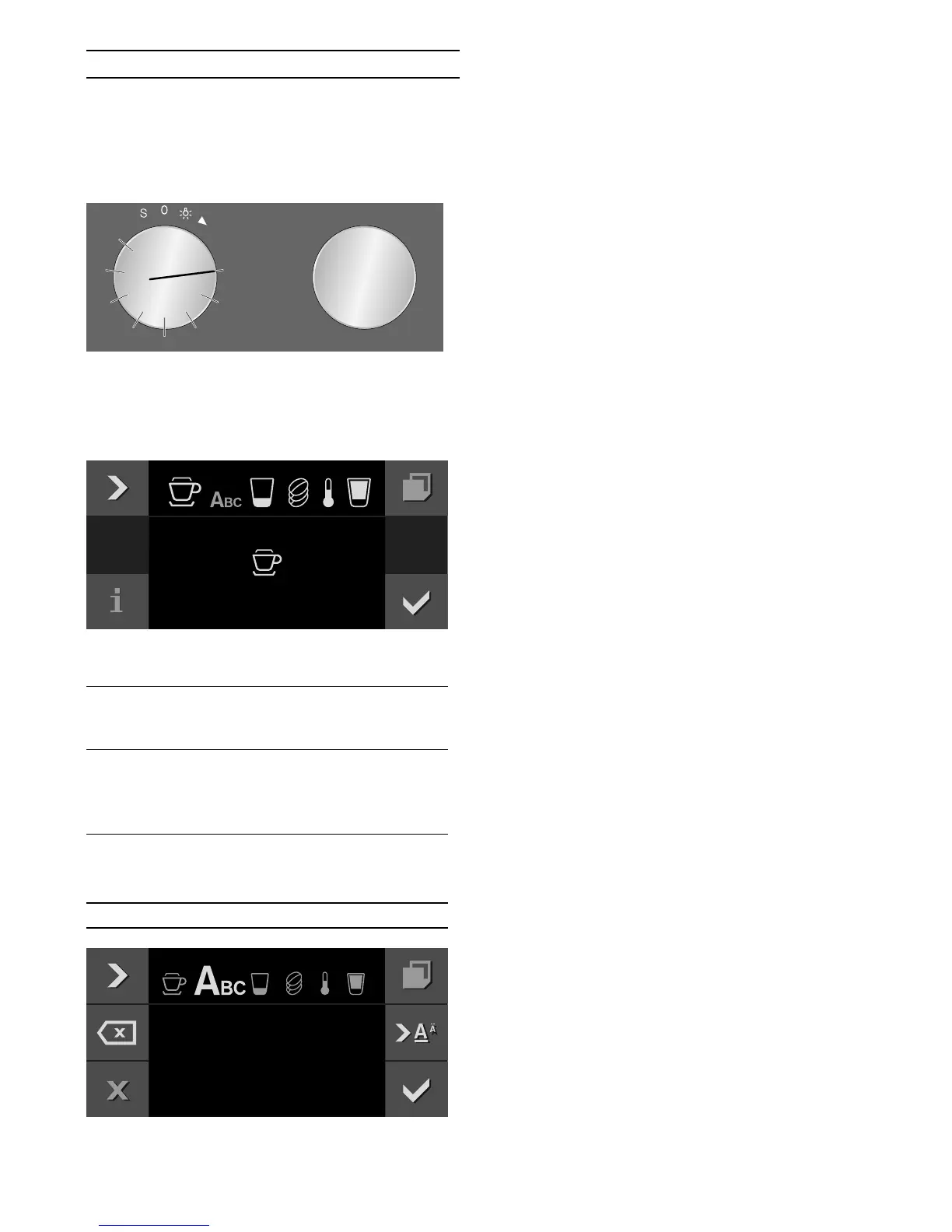
1 Turn the function selector to one of the 8 memory
locations.
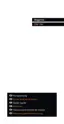
2 Touch the % symbol.
3 Use the
C symbol to select the desired beverage,
size, strength, temperature and coffee-milk ratio
and use the rotary selector to save the settings.
4 Enter the name of the beverage in "ABC".
5 Save with ™ or cancel with ' and exit the menu.
6 Press
I to start.
Depending on the beverage selected, the beans will be
ground first, then the milk prepared and finally the
coffee brewed.
Notes
‒ While the beverage is dispensed, the & symbol is
displayed. Touch this symbol to stop the beverage
being prepared.
‒ For entering a name, Latin characters, certain
special characters and numbers are available.
Rotary selec-
tor
Selects letters
A new word always begins with a capital
letter.
4 Press briefly: moves the cursor right
Press and hold: shifts to umlauts and
special characters
Press twice: adds a line break
5 Press briefly: moves the cursor right
Press and hold: shifts to normal characters
Press twice: adds a line break
l Deletes letters
&DSSXFFLQR
7RPV
&DSSXFFLQB


 To Next Page