16
Preparing hot water
m
Risk of burns!
The milk system becomes very hot. After use, allow it to
cool down first before touching it.
The appliance must be switched on and the water tank
must be filled.
1 Turn the function selector to position 2.
2 Select "Hot water" using the rotary selector.
3 Place a cup or a glass under the coffee dispenser.
4 Touch the
C symbol.
5 Set the quantity using the rotary selector.
6 Touch the C symbol.
7 Set the temperature using the rotary selector.
8 Confirm with ™.
9 Press I to start.
The water is heated and then flows into the cup or glass.
Notes
‒ While the beverage is dispensed, the & symbol is
displayed. Touch this symbol to stop the beverage
being prepared.
‒ Using the ‡ symbol, you can save the current
beverage: touch the ‡ symbol, turn the function
selector to a free memory location, save the entry
(see section Individual beverages).
Setting the grinding level
m
Risk of injury!
Do not reach into the grinding unit.
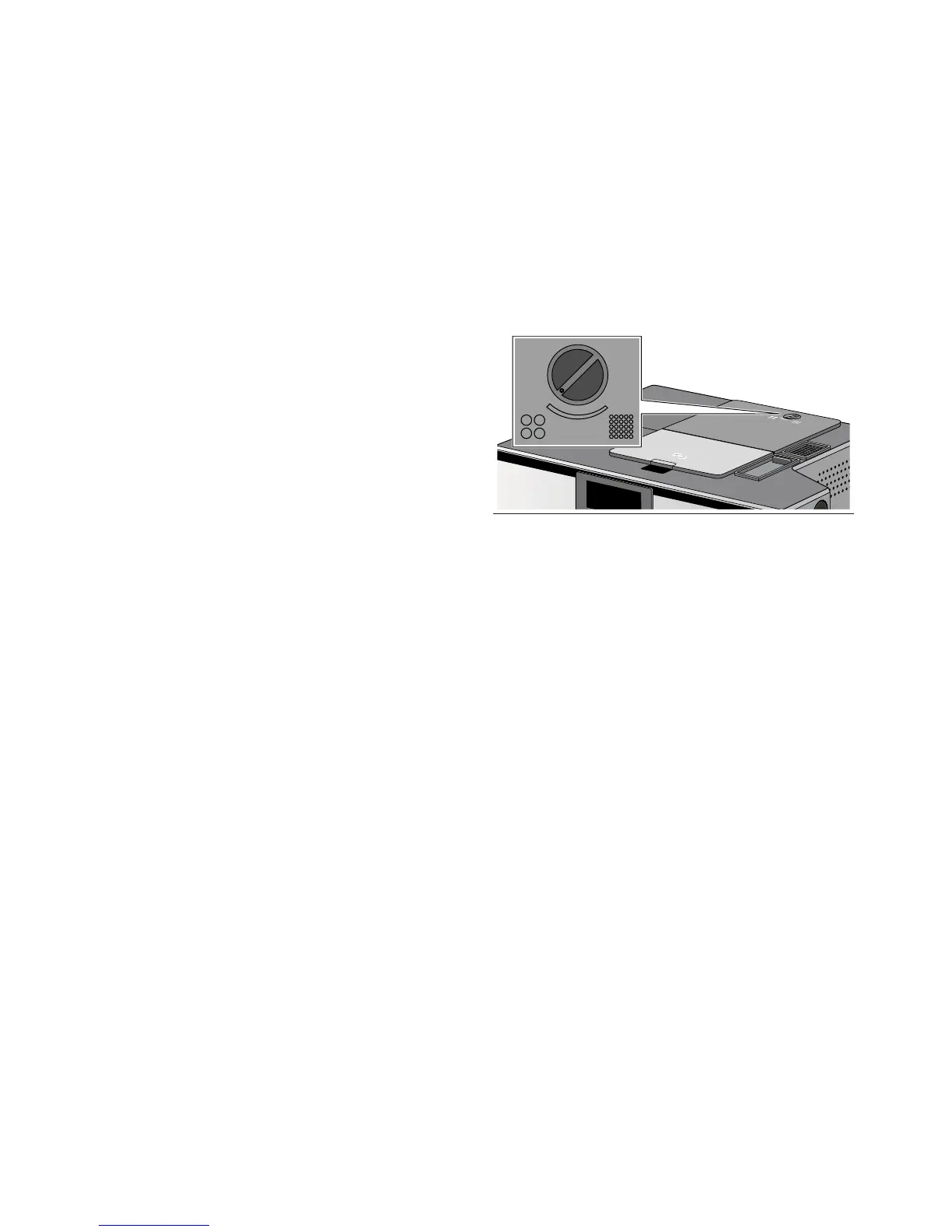
Using the rotary selector for the grinding level, you can
set your preferred fineness for the ground coffee.
Caution!
The appliance could be damaged. Only adjust the
grinding level when the grinding unit is running.
With the grinding unit running, set the rotary selector
between a fine grinding level and a coarser grinding
level.
Notes
‒ The new setting only becomes noticeable after the
second cup of coffee.
‒ Set a finer grinding level with dark-roasted beans
and a coarser grinding level with lighter beans.


 To Next Page