GAMATRONIC ELECTRONIC INDUSTRIES LTD.
38 P+ PREMIUM 60, Installation Guide,
1.4
4. INSERTING AND REMOVING POWER MODULES
This chapter discusses the physical insertion and addition of modules to the system, the physical removal
of power modules from the system, and the related changes to the system configuration.
There are four basic operations that can be performed in this respect:
• First-time insertion of modules at time of system installation.
• Replacement of a module in an installed system.
• Addition of a module to an installed system.
• Removal of a module from an installed system.
4.1 Accessing the modules
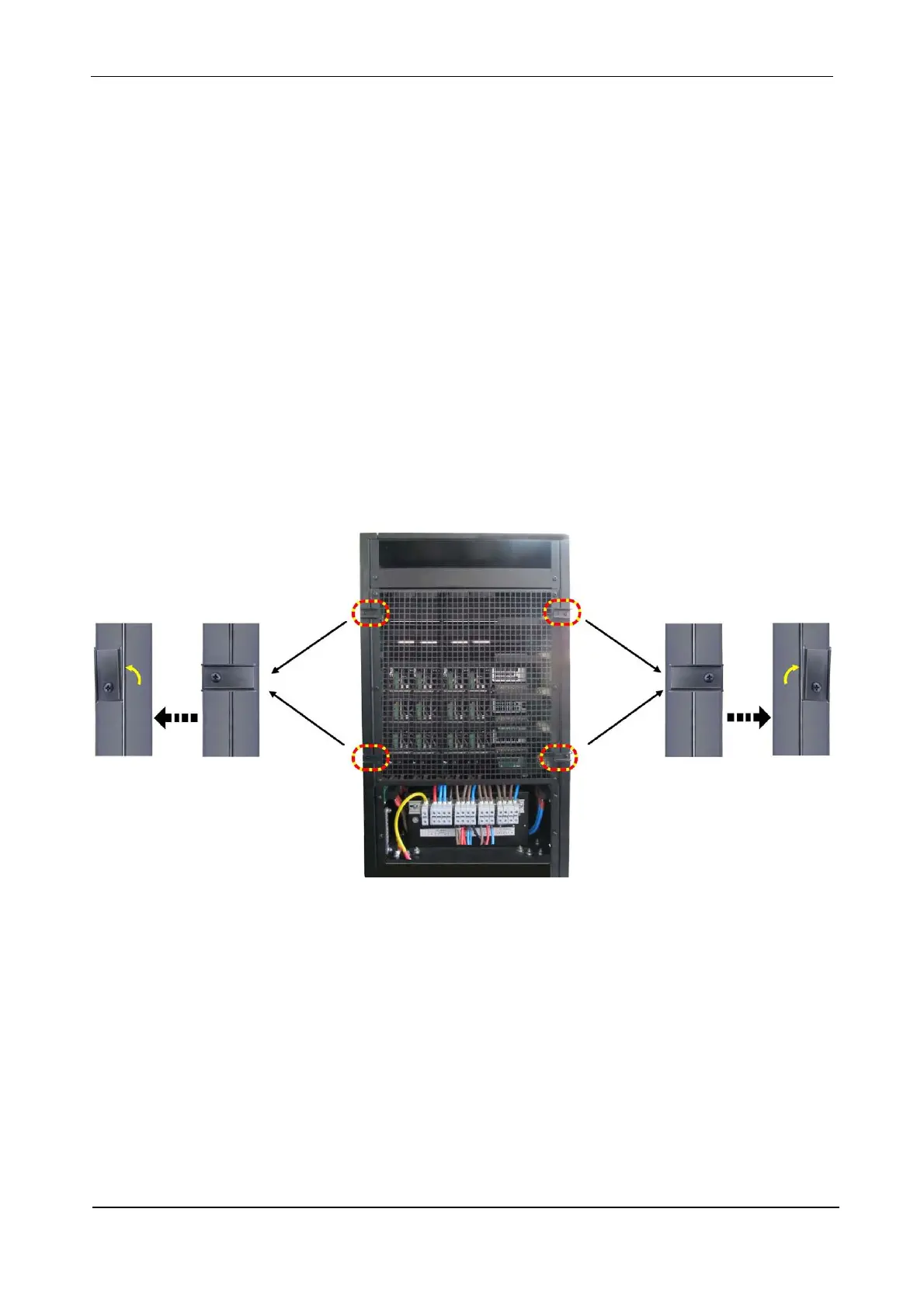
To access the modules you will first have to remove the UPS’s two side panels.
1. At the rear of the UPS there are four catches holding the side panels of the UPS in place.
Move the catches to a vertical position.











 To Next Page