GAMATRONIC ELECTRONIC INDUSTRIES LTD.
50 P+ PREMIUM 60, Installation Guide,
1.4
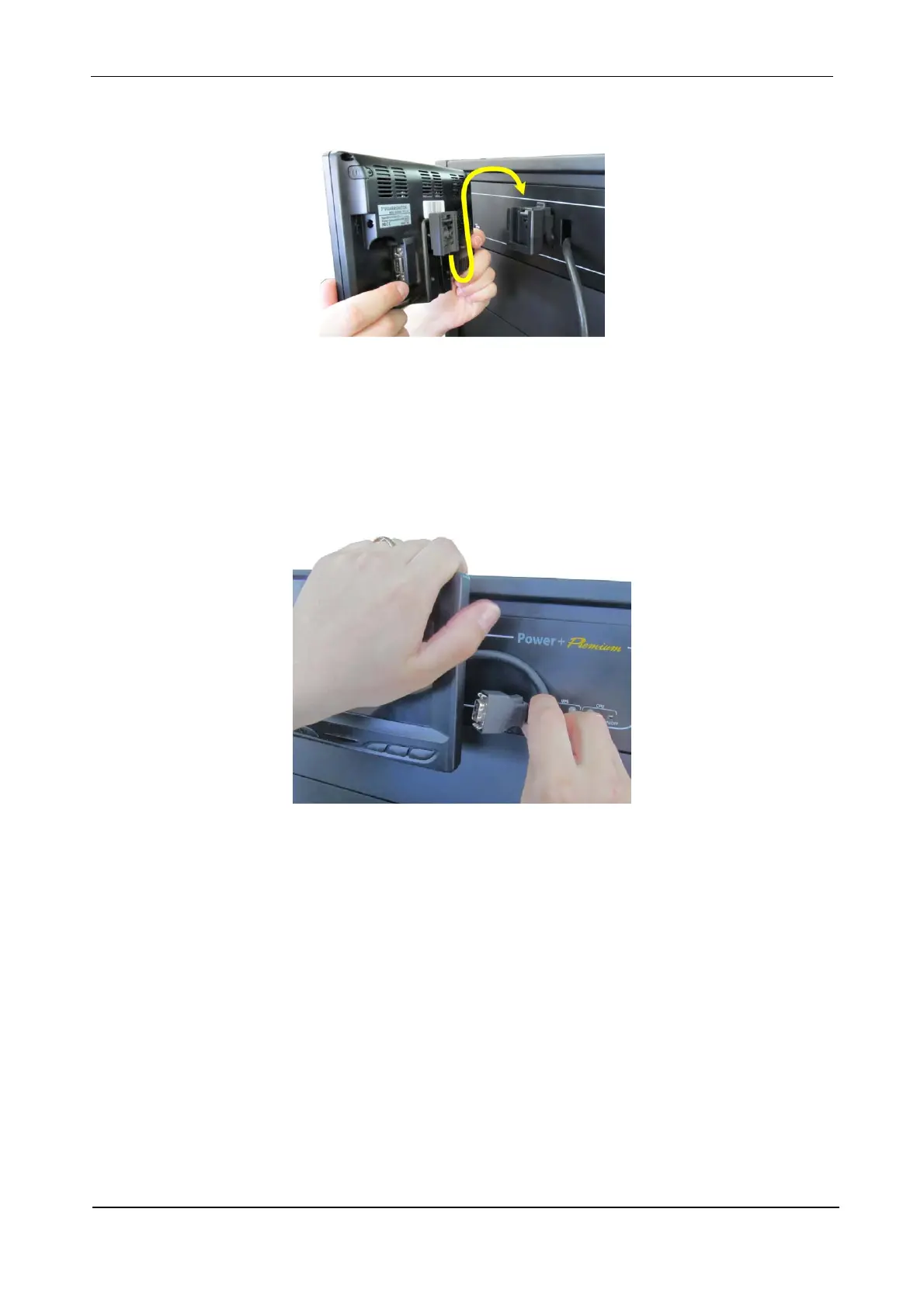
4. Slip the LCD screen’s mounting block into the receiver on the top front of the Power+ Premium 60.
You will need to hold open the catch on the receiver while doing this.
Figure 50: Attach the screen to the receiver on the top front of the UPS
5. There is a cable on the top front of the UPS which supplies power and communication to the LCD
screen.
Connect the cable to the right rear of the LCD screen. You need to press the little buttons on both
sides of the cable connector while inserting the cable head into the socket on the LCD screen.
Figure 51: Connect the cable to the right rear of the LCD screen
6. Press the physical “Power On” button on the LCD screen to switch the screen on.
7. The parts of the mounting apparatus that you did not use can be kept as spares.











 To Next Page