Introduction – Front Panel Customization
17
Front Panel Customization
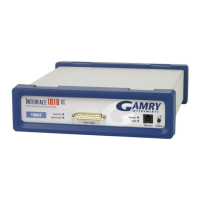
The Interface 1010 supports a flexible labeling scheme for identifying potentiostats in a multiple potentiostat
(multichannel) system. A clear window in the plastic overlay on the Interface 1010’s front panel lets you create
your own identification of each potentiostat in a system.
Every Interface 1010 is shipped with its serial number in this label location. More user-friendly labels can also
be displayed, such as Pstat1, Pstat2, Pstat3. Whimsical names such as “Rusty Dog” can also be displayed in this
area. See Chapter 3 for more details.
Notational Conventions
In order to make this manual more readable we have adopted some notational conventions used throughout
this manual:
• Numbered lists. A numbered list is reserved for step-by-step procedures, with the steps always
performed sequentially.
• Bulleted list. The items in a bulleted list, such as this one, are grouped together because they represent
similar items. The order of items in the list is not critical.
• File names and folders. Inside paragraphs, references to computer files and Windows folders are
capitalized, for example: C:\MYGAMRYDATA\CV.DTA and GAMRY.INI.
The term Interface 1010 is generally written in place of the more correct but awkward term Interface 1010
Potentiostat/Galvanostat/ZRA.


 To Next Page