Calibration – Cable Calibration
34
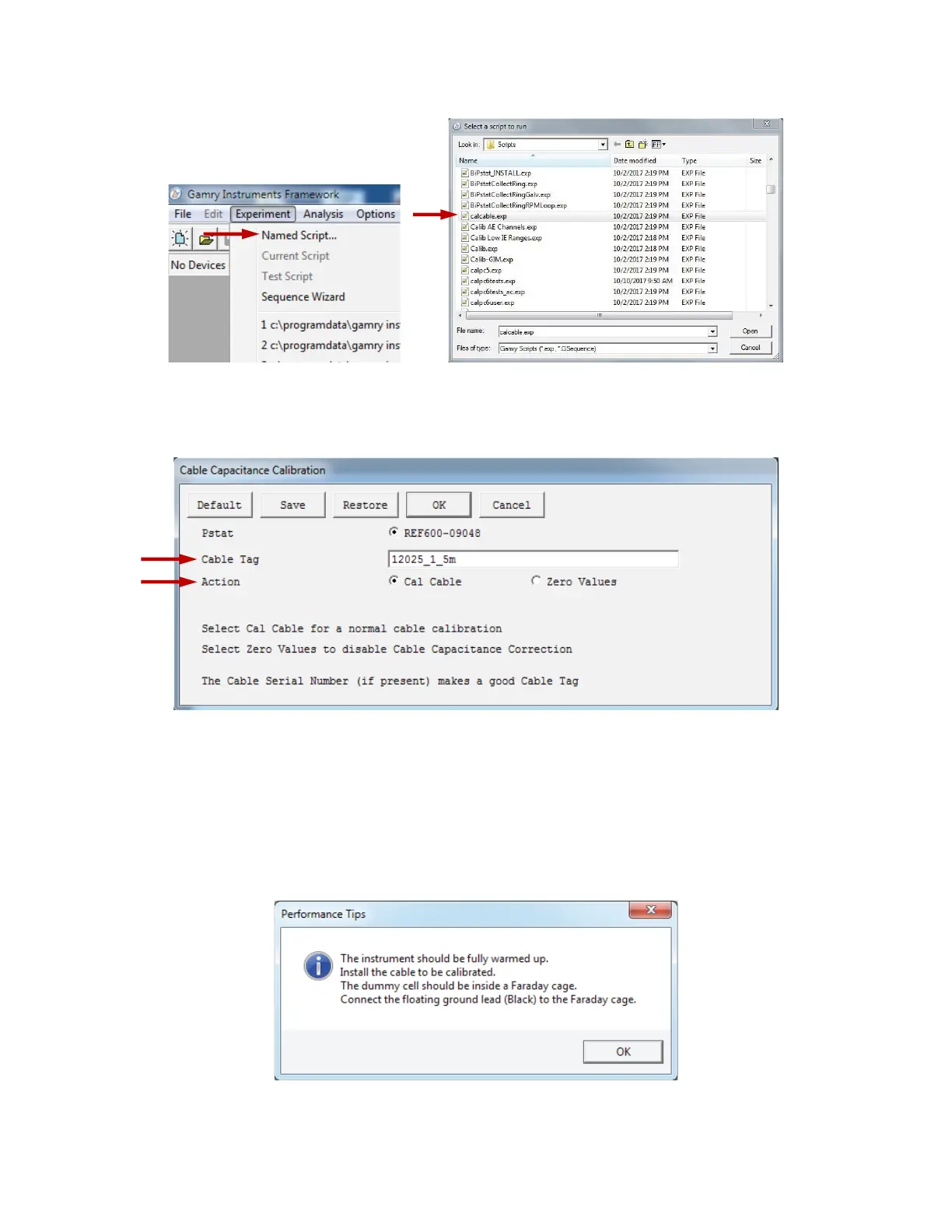
4) Open Gamry Framework™ software. Select Experiment > Named Script...
The Select a script to run window appears. From the list of scripts, choose calcable.exp, then
click the Open button.
5) The Cable Capacitance Calibration window appears.
In the Cable Tag field, enter a unique name for the cable you are calibrating.
Choose the desired Action radio button:
• To calibrate the cable, choose Cal Cable.
• To reset the vales to zero (if, say, the calibration doesn’t work), choose Zero Values.
Click the OK button.
6) The Performance Tips window appears.
Make sure that all of the tips are true, then click the OK button.


 To Next Page