29
2 X 20V Li-ion 5-in-1 Cordless Garden Kit
AFTER SALES SUPPORT
e-mail: info.aldi@positecgroup.com
1300 889 028
MODEL No.: CBC36A • 10/2020 • 702316
(toll free)
AFTER SALES SUPPORT
(toll free)
2 X 20V Li-ion 5-in-1 Cordless Garden Kit
e-mail: info.aldi@positecgroup.com1300 889 028
MODEL No.: CBC36A • 10/2020 • 702316
Operation
Inserting and removing the battery pack
This product is a skin and does not come with batteries or a charger. ALDI
Xnity 20V batteries and chargers are compatible with this product. Batteries
and chargers can be purchased from ALDI stores. Read the operating
instructions for the battery packs and the charger before using them. Charge the
battery as described in the separate operating instructions. Insert the charged
battery packs into the battery inserts (7) on each side of the motor head (11) by
sliding them along the guiding rails.
The battery packs should “click” into position when correctly inserted.
Switching on and o
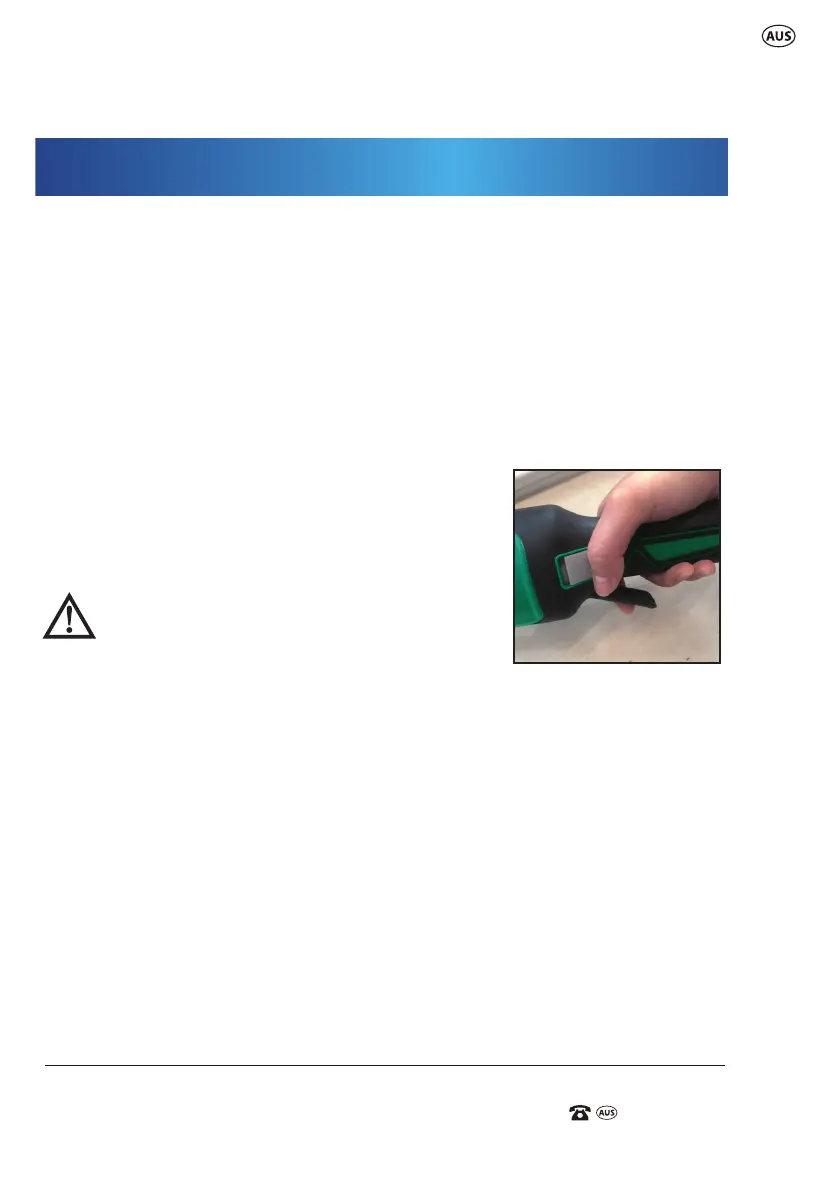
The device is equipped with a safety circuit. Press the
safety locking button (5) rst to unlock the tool, then
press the on/o trigger lever (6) to start the tool.
(Fig. L)
WARNING: The cutters on all attachments
continue to run for a short time after being
switched o. There is a risk of injury! Hold the
device until the cutters stop. Do not put the
device down before the cutters stop.
1) Hold the device with the right hand on the rear handle and left hand on
the P handle.
2) No matter which attachment you use, make sure that nothing touches the
respective cutting device so that it can start up safely.
3) Press and hold the safety locking button (5) on the rear handle with your
thumb.
4) Press the ON / OFF
trigger lever (6)
with the index nger of the same hand.
ATTENTION: The device is on now!
5) Release the ON / OFF
trigger lever (6)
to stop.
Using the line trimmer (with spool)
1) Hold the device with the right hand on the rear handle and left hand on
L




 To Next Page