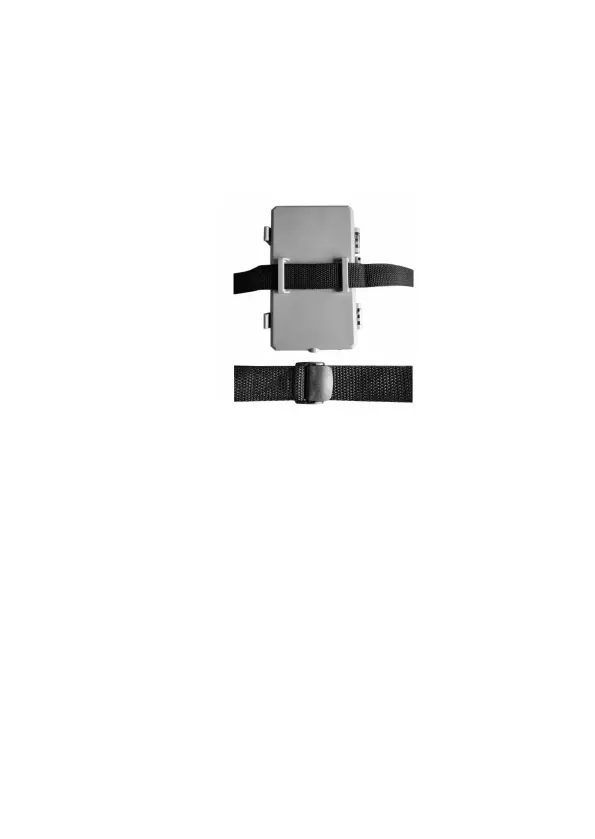
(Figure 8). Note: it is not possible to use a cable lock (in the
upper part of the bracket) and the strap at the same time.
Using the tripod socket: The camera is equipped with a socket
at the bottom end to enable mounting on a tripod or other
mounting accessories with a standard UNC 1/4-20 thread screw
(not included).
Figure 8: Mounting the Camera
9.2. SENSING ANGLE AND DISTANCE TEST
To test whether the camera can effectively monitor the area you
choose, this test is recommended to check the sensing angle and
monitoring distance of the camera. To perform the test:
Switch the camera to the SET mode.
Select "Motion Test" in the Menu. The camera will
countdown a max 60-second delay and will be ready to
capture motions. (Note: The delay time may be less than 60
seconds, depending on the actual time of the motion sensor
to be activated. The delay time is 60 seconds minus the
power-on time.)
Close the camera door.
Make movements in front of the camera at several positions
within the area where you expect the game or subjects to be.



 To Next Page