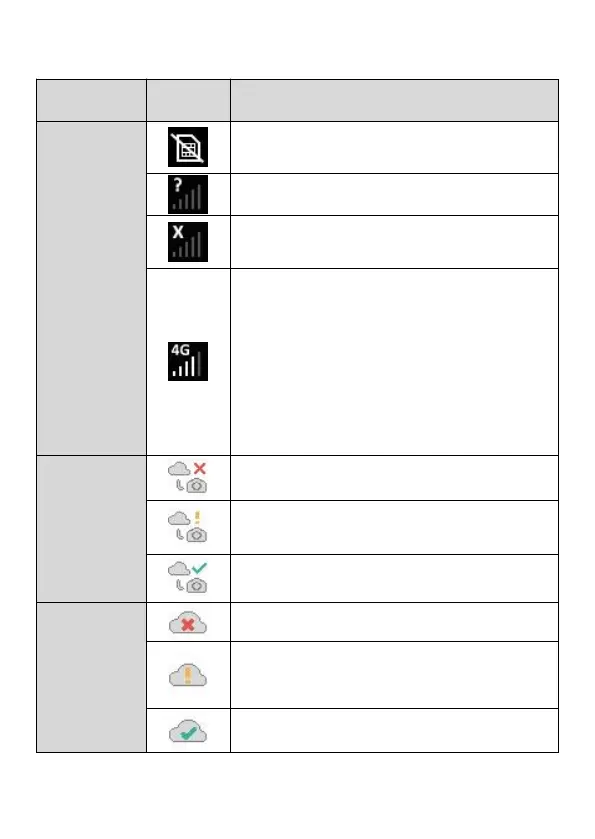
Table 1 - Camera network icons
The camera is searching for available
cellular network.
No cellular network service available.
"4G" indicates the camera is using 4G
cellular network, it may automatically
change to "3G" or "2G" (according to
local cellular network), and the white
"signal bar" indicates signal strength.
Note: In 3G or 4G cellular network, the
camera can send pictures or videos. In 2G
cellular network, the camera can ONLY
upload camera status.
Cellular network is not connected.
The camera is not within the cellular
network service area.
Cellular network is successfully
connected.
The camera is not activated.
The camera and the SIM card is
unmatched (e.g. the camera has been
bound with other SIM card).
The camera has been activated
successfully.



 To Next Page