EasyManua.ls Logo

Garmin EDGE EXPLORE 2 - Page 68

Garmin EDGE EXPLORE 2
87 pages
Print Icon
To Next Page IconTo Next Page
To Previous Page IconTo Previous Page
Loading...
I
3
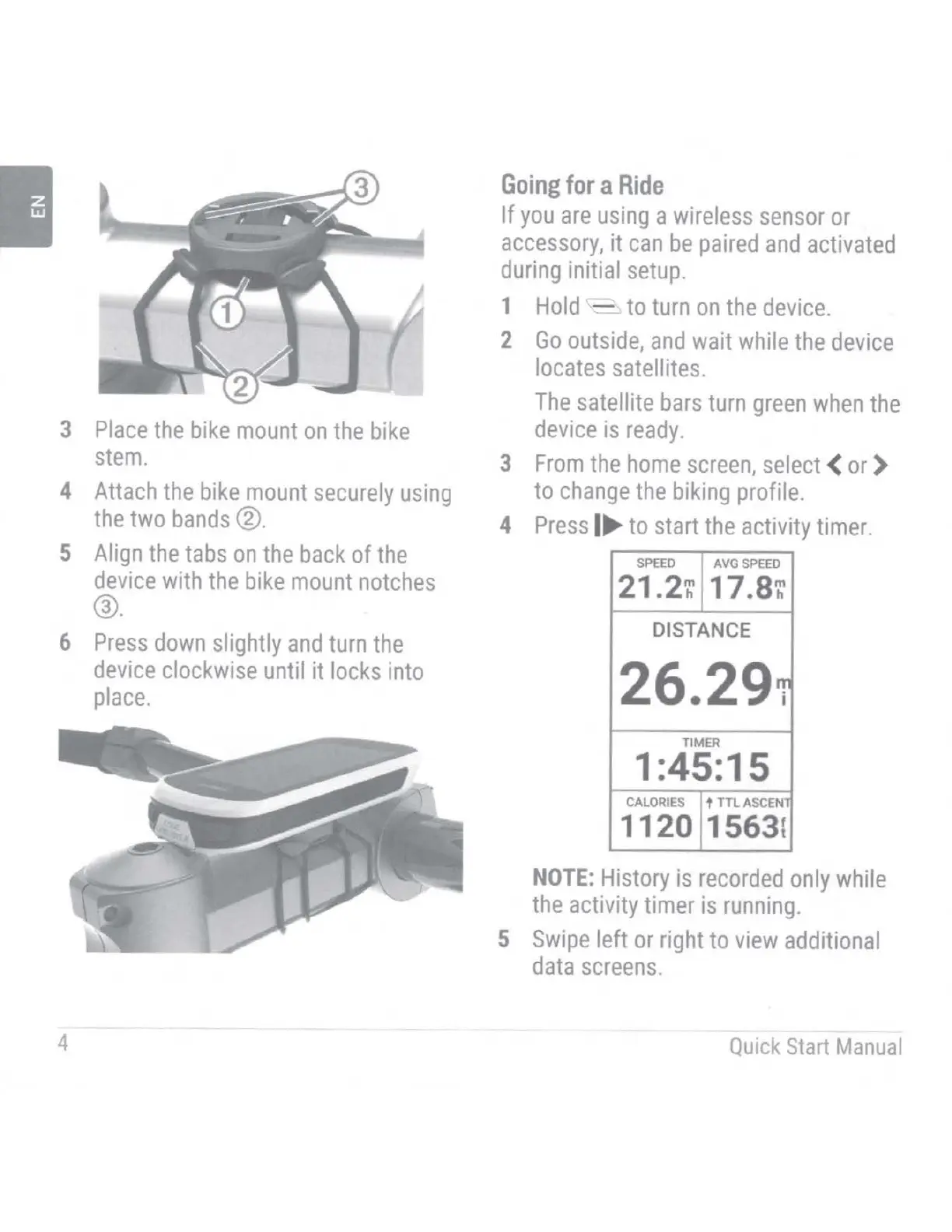
Place
the
bike
mount
on
the
bike
stem.
4
Attach
the
bike
mount
securely
using
the
two
bands®·
5
Align
the
tabs
on
the
back
of
the
device
with
the
bike
mount
notches
@.
6
Press
down
slightly
and
turn
the
device
clockwise
until it
locks
into
place.
4
Going
for
a
Ride
If
you
are
using
a
wireless
sensor
or
accessory,
it
can
be
paired
and
activated
during
initial
setup.
1
Hold
'c'-
to
turn
on
the
device.
2
Go
outside,
and
wait
while
the
device
locates
satellites.
The
satellite
bars
turn
green
when
the
device
is
ready.
3
From
the
home
screen,
select
<
or
)
to
change
the
biking
profile.
4
Press
I
to
start
the
activity
timer.
SPEED
AVG
SPEED
21.2
~
17.8
~
DISTANCE
26.291
TIMER
1 :45:15
CALORIES
t TTL
ASCENT
1120 1563
t
NOTE:
History
is
recorded
only
while
the
activity timer
is
running.
5
Swipe
left
or
right
to
view
additional
data
screens.
-
Quick
Start
Manual

Table of Contents

Other manuals for Garmin EDGE EXPLORE 2

Related product manuals