EasyManua.ls Logo

Garmin EDGE EXPLORE 2 - Page 73

Garmin EDGE EXPLORE 2
87 pages
Print Icon
To Next Page IconTo Next Page
To Previous Page IconTo Previous Page
Loading...
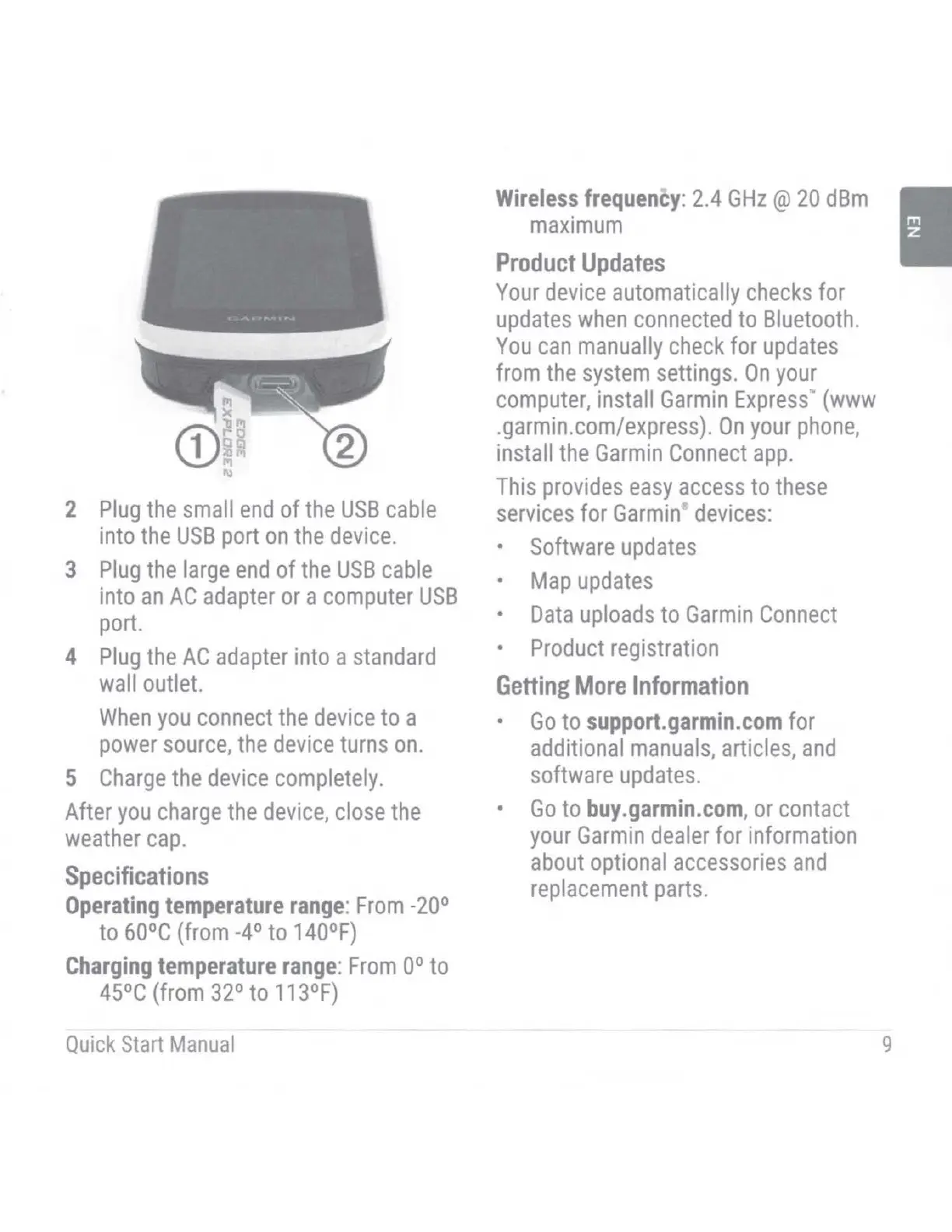
2
Plug
the
small
end
of
the
USB
cable
into
the
USB
port
on
the
device.
3
Plug
the
large
end
of
the
USB
cable
into
an
AC
adapter
or
a
computer
USB
port.
4
Plug
the
AC
adapter
into a
standard
wall
outlet.
When
you
connect
the
device
to a
power
source,
the
device
turns
on.
5
Charge
the
device
completely
.
After
you
charge
the
device,
close
the
weather
cap.
Specifications
Operating
temperature
range:
From
-20°
to
60°C
(from
-4°
to
140°F)
Charging
temperature
range:
From
to
45°C
(from
32°
to
113°F)
Quick
Start
Manua
l
Wireless
frequency:
2.4
GHz@
20
dBm
maximum
Product
Updates
Your
device
automatically
checks
for
updates
when
connected
to
Bluetooth.
You
can
manually
check
for
updates
from
the
system
settings.
On
your
computer,
install
Garmin
Express
"'
(www
.garmin.com/express).
On
your
phone,
install
the
Garmin
Connect
app.
This
provides
easy
access
to
these
services
for
Garmin
,
devices:
Software
updates
Map
updates
Data
uploads
to
Garmin
Connect
Product
registration
Getting
More
Information
Go
to
support.garmin.com
for
additional
manuals,
articles,
and
software
updates
.
Go
to
buy.garmin.com,
or
contact
your
Garmin
dealer
for information
about
optional
accessories
and
replacement
parts.
9

Table of Contents

Other manuals for Garmin EDGE EXPLORE 2

Related product manuals