12 Forerunner
®
735XT
EN
Introduction
WARNING
See the
Important Safety and Product Informa-
tion
guide in the product box for product warn-
ings and other important information.
Always consult your physician before you begin
or modify any exercise program.
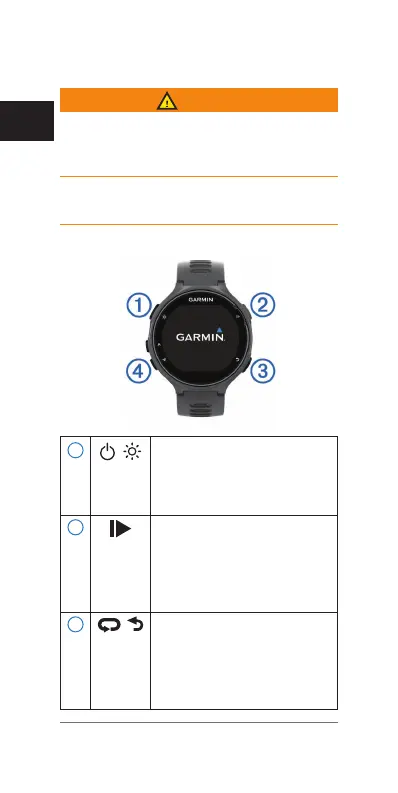
Keys
1
Hold to turn the device on
and off.
Select to turn the backlight on
and off.
2
Select to start and stop the
timer.
Select to choose an option or
to acknowledge a message.
Select to mark a new lap.
3
Select to return to the previous
screen.
Select to scroll through the
widgets, data screens, options,
and settings.















 To Next Page