55Forerunner
®
735XT
EN
last recorded sport, intensity minutes for the
week, oors climbed, steps, calories burned,
and more. You can select to view additional
metrics.
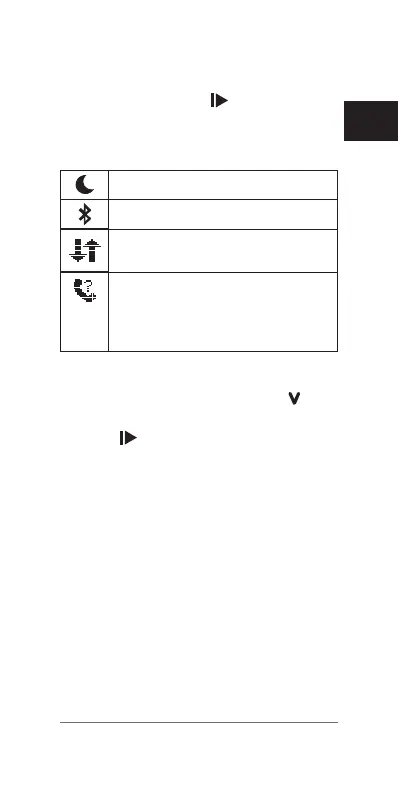
Bluetooth Controls Widget
Turns on or off do not disturb mode.
Turns on or off Bluetooth technology.
Synchronizes your data with the
Garmin Connect Mobile app.
Activates the nd my phone feature. It
sends a beacon to your smartphone
that is paired and in range of your
Forerunner device.
Viewing the Weather Widget
1 From the time of day screen, select to
view the weather widget.
2 Select
to view hourly weather data.
3 Scroll down to view daily weather data.
VIRB Remote
The VIRB remote function allows you to control
your VIRB action camera using your device. Go
to virb.Garmin.com to purchase a VIRB action
camera.
Controlling a VIRB Action Camera
Before you can use the VIRB remote function,
you must enable the remote setting on your
VIRB camera. See the
VIRB Series Owner’s
Manual
for more information.
1 Turn on your VIRB camera.















 To Next Page