38 Forerunner
®
735XT
EN
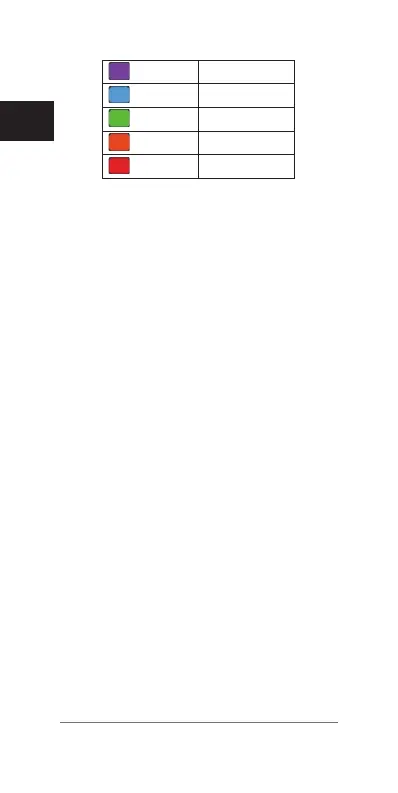
Purple
Superior
Blue
Excellent
Green
Good
Orange
Fair
Red
Poor
VO2 max. data and analysis is provided with
permission from The Cooper Institute
®
. For
more information, see the appendix
(VO2 Max.
Standard Ratings, page 100)
, and go to www.
CooperInstitute.org.
Getting Your VO2 Max. Estimate for Running
This feature requires a chest heart rate monitor.
For the most accurate estimate, complete the
user prole setup
(Setting Up Your User Prole,
page 76)
, and set your maximum heart rate
(Setting Your Heart Rate Zones, page 28)
.
The estimate may seem inaccurate at rst. The
device requires a few runs to learn about your
running performance.
1 Run for at least 10 minutes outdoors.
2 After your run, select Save.
3 Select Menu > My Stats > VO2 Max..
Getting Your VO2 Max. Estimate for Cycling
Before you can view your VO2 max. estimate,
you must have a chest heart rate monitor and a
power meter, and pair them with your Forerun-
ner device
(Pairing ANT+ Sensors, page 69)
.
If your Forerunner device was packaged with
a heart rate monitor, the devices are already
paired. For the most accurate estimate,
complete the user prole setup
(Setting Up















 To Next Page