Introduction 5
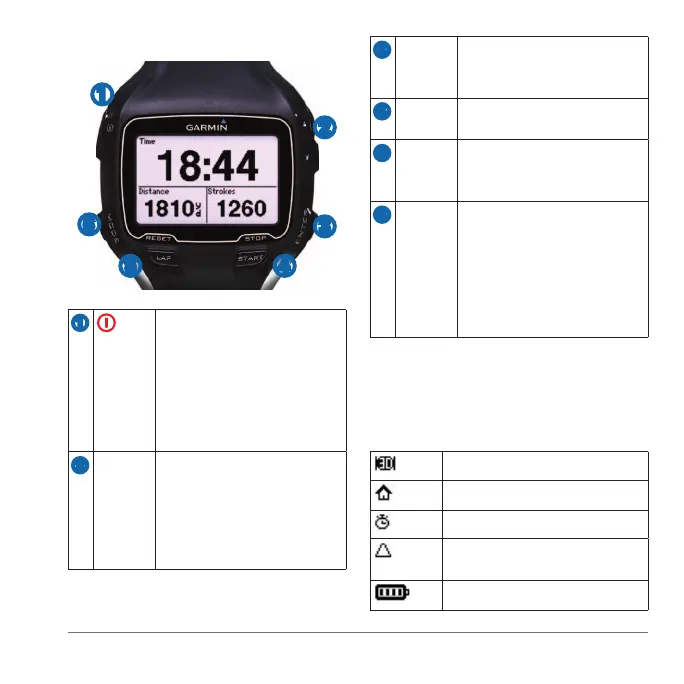
➊
➋
➌
➍➎
➏
➊ Hold to turn the device on
and off.
Select to adjust the backlight.
Select to view status icons
(page 5).
Select to search for a
compatible weight scale.
➋
▲▼ Select to scroll through menus
and settings.
Hold to scroll quickly through
the settings.
Select to scroll through training
pages during a workout.
➌
Select to turn on the backlight.
Select to choose an option and
to acknowledge a message.
➍
Select to start and stop the
timer.
➎
Select to mark a new lap.
Hold to save your activity and
reset the timer.
➏
Select to view the timer and
the menu. The map and the
compass also appear if they
are active.
Select to exit a menu or a
page. Your settings are saved.
Hold to switch sport modes.
A solid icon means the feature is active.
A ashing icon means the device is
searching.
GPS is on.
GPS is off.
Timer is running.
Multiple sport activity is in
progress.
Battery charge level.















 To Next Page