GNS 430(A) Pilot’s Guide and Reference
190-00140-00 Rev. P
8-3
SECTION 8
NRST PAGES
Navigating to a Nearby Waypoint
The NRST pages can be used in conjunction with the
GNS 430’s direct-to function to quickly set a course to a
nearby facility and can provide navigation to the nearest
airport in case of an in-ight emergency.
To select a nearby airport, VOR, NDB,
intersection, or user waypoint as a direct-
to destination:
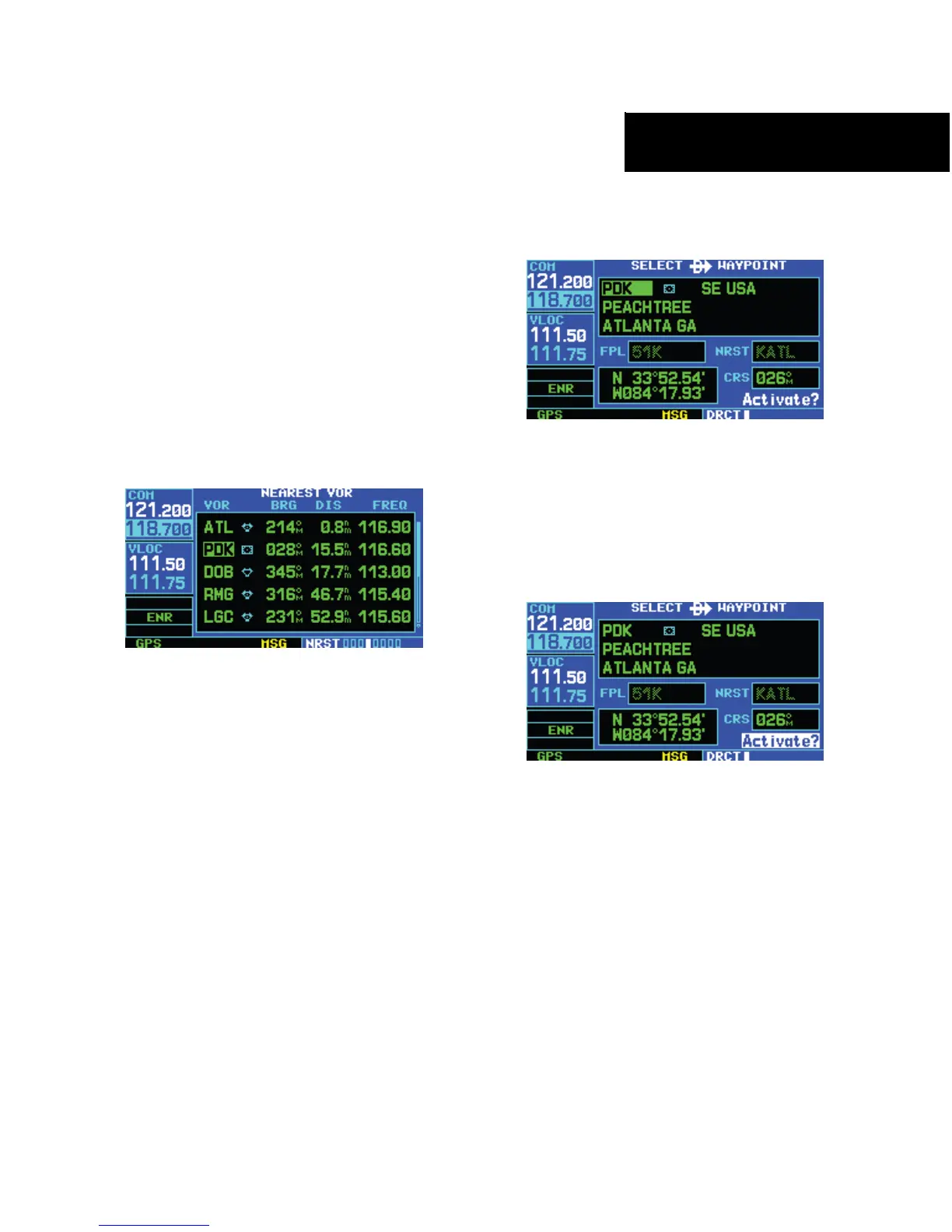
1) Use the flashing cursor to scroll through a NRST
page list (Figure 8-6) and highlight the desired
nearest waypoint, as outlined in Section 8.1.
Figure 8-6 Nearest VOR Page
2) Press the Direct-to Key to display the select
Direct-to Waypoint Page (Figure 8-7).
Figure 8-7 Direct-to Waypoint Page
3) Press the ENT Key to accept the selected
waypoint’s identifier and press the ENT Key
a second time (Figure 8-8) with ‘Activate?’
highlighted to begin navigating to the selected
waypoint.
Figure 8-8 ‘Activate?’ Highlighted




 To Next Page