GNS 430(A) Pilot’s Guide and Reference
190-00140-00 Rev. P
4-4
SECTION 4
DIRECT-TO NAVIGATION
Shortcuts
Shortcuts are available when using the Direct-to Key,
allowing the pilot to bypass the use of the small and large
right knobs to enter the destination waypoint’s identifier.
A direct-to can be performed from any page displaying
a single waypoint identier (such as the WPT pages for
airports and NAVAIDs). For pages that display a list of
waypoints (e.g., the Nearest Airport Page), the desired
waypoint must be highlighted with the cursor before
pressing the Direct-to Key.
Selecting an on-screen waypoint as a
direct-to destination:
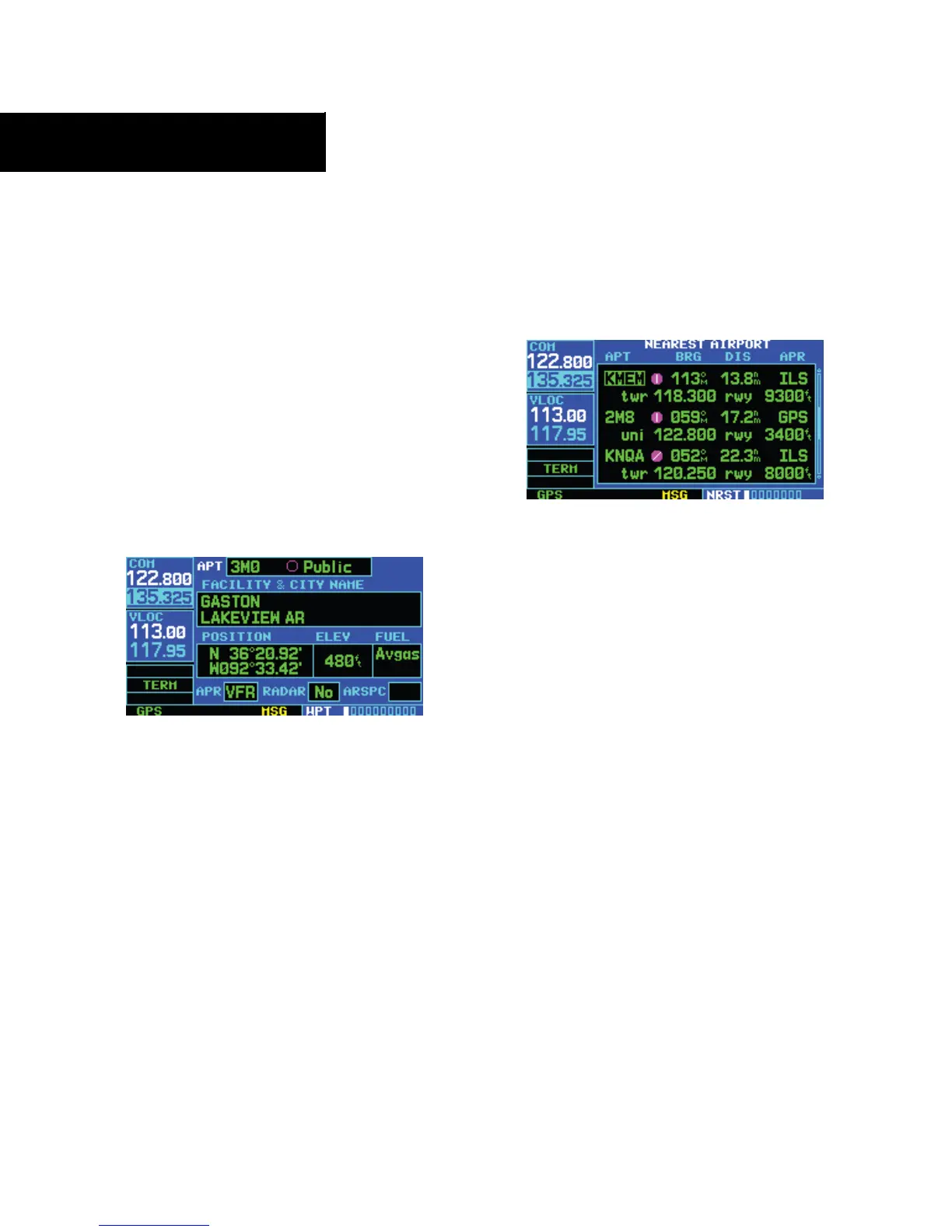
1) If a single airport, NAVAID, or user waypoint is
displayed on-screen (Figure 4-9):
Figure 4-9 Single Waypoint Displayed
a) Press the Direct-to Key
b) Press the ENT Key twice.
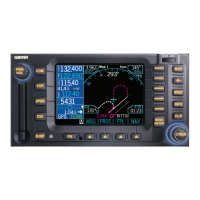
2) If a list of waypoints is displayed on-screen:
a) Press the small right knob to activate the
cursor.
b) Turn the large right knob to highlight the
desired waypoint (Figure 4-10).
Figure 4-10 Nearest List
c) Press the Direct-to Key followed by the
ENT Key twice.
To select an on-screen waypoint as a direct-
to destination:
1) If a single airport, NAVAID, or user waypoint is
displayed on-screen: press the Direct-to Key,
then press the ENT Key twice.
2) If a list of waypoints is displayed on-screen,
press the small right knob to activate the
cursor.
3) Turn the large right knob to highlight the
desired waypoint.
4) Press the Direct-to Key followed by the ENT
Key twice.




 To Next Page