33
Reference
Map Page Options
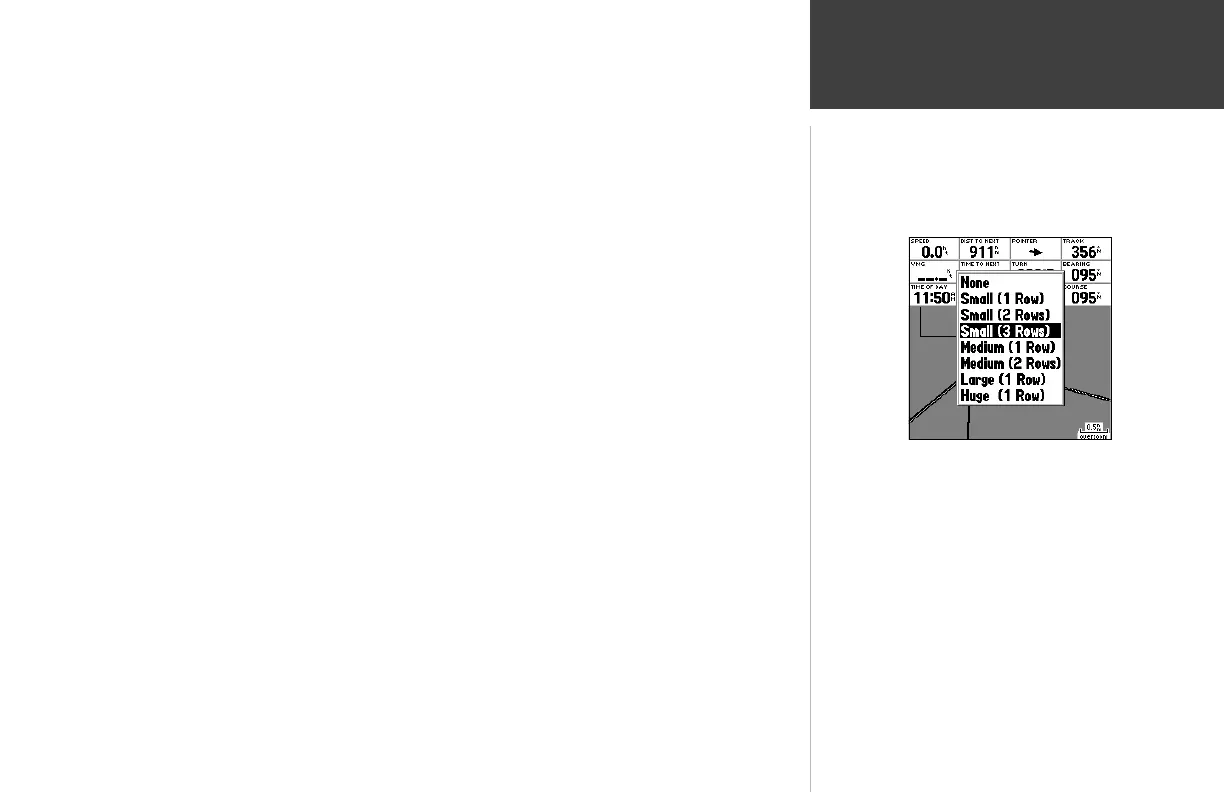
To change the page layout:
1. From the menu, use the ARROW KEYPAD to highlight the ‘Setup Page Layout’ option and press
ENTER/MARK.
2. Move up or down on the ARROW KEYPAD to highlight to the desired setting and press
ENTER/MARK. To exit, press QUIT.
• Change Data Fields — allows you to specify the type of data displayed in each data fi eld used
on the map display.
The following options are available for Map page data fi elds (and on the Highway and Compass pages):
• BEARING – Compass direction from your position to destination
• COURSE – Course over ground
• DEPTH – Depth below transducer (only available with additional sonar NMEA data)
• DIST TO DEST – Distance to fi nal waypoint
• DIST TO NEXT – Distance to next waypoint
• ETA AT DEST – Estimated Time of Arrival to fi nal waypoint
• ETA AT NEXT – Estimated Time of Arrival to next waypoint
• ELEVATION – Elevation above/below MSL (Mean Sea Level)
• MAX SPEED – Fastest speed the unit has traveled
• MOV AVG SPEED – Average moving speed
• MOV TRIP TIMER – Time unit has been moving for a trip
• OFF COURSE – Distance from desired track
• POINTER – Arrow points to your destination
• SPEED – Speed over ground/water
• TIME OF DAY – Current time
• TIME TO DEST – Time to fi nal waypoint at current speed and course
• TIME TO NEXT – Time to next waypoint at current speed and course
Choose the size and number of data
fi elds you wish to display.












 To Next Page