34
Reference
Map Page Options
continued
Data Field Options continued
• TO COURSE – Distance to desired track
• TRACK – Current compass heading
• TRIP ODOM – Trip Odometer
• TTL AVG SPEED – Total average speed
• TTL TRIP TIMER – Total travel time of trip, stopped and moving
• TURN – Turn angle to waypoint
• VMG – Velocity Made Good to destination
• WATER SPEED – Speed through the water (only available with additional sonar NMEA data)
• WATER TEMP – Water temperature (only available with additional sonar NMEA data)
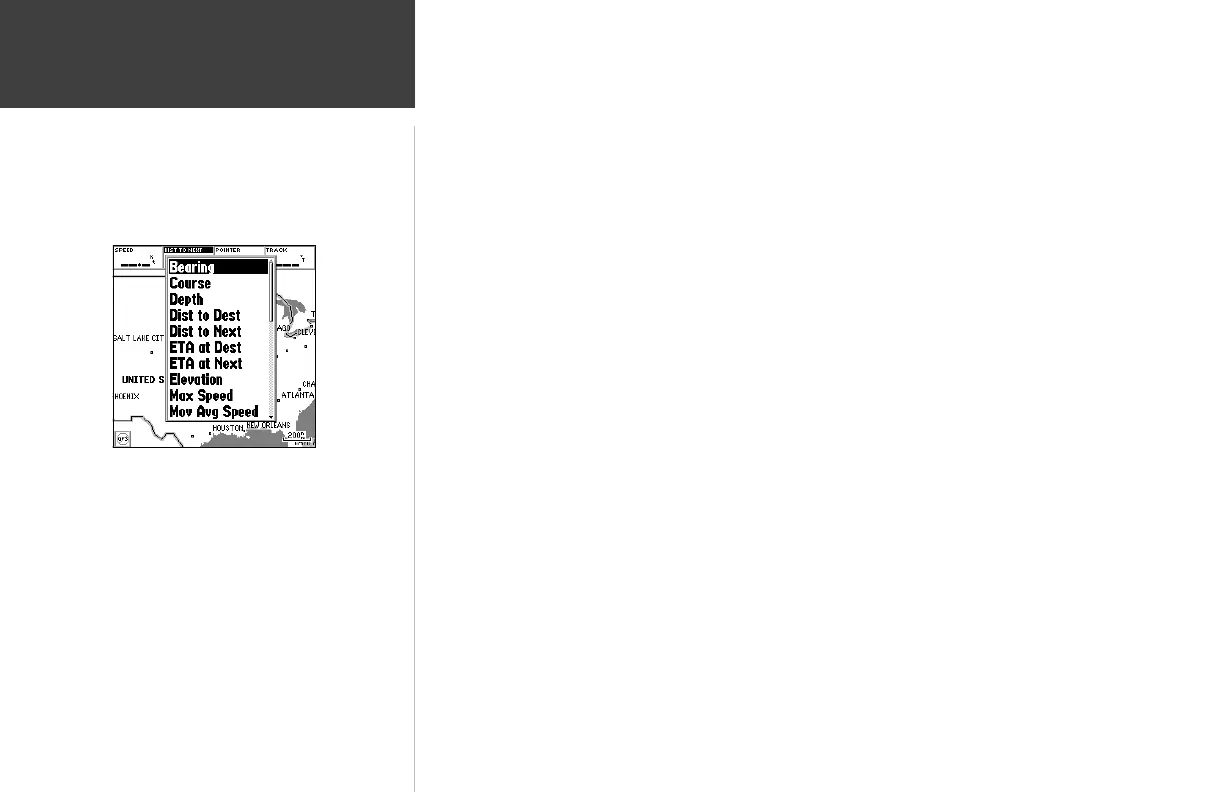
To change a data fi eld:
1. From the menu, use the ARROW KEYPAD to highlight the ‘Change Data Fields’ option and press
ENTER/MARK.
2. Move the fi eld highlight to the data fi eld you want to change and press ENTER/MARK.
3. Move up or down on the ARROW KEYPAD to highlight the data you want to display, and press
ENTER/MARK. To exit, press QUIT.
Choose the type of data you wish to
display for each fi eld.












 To Next Page