GPSMAP 192C Owner’s Manual 31
MAIN PAGES > MAP PAGE
Map Page Options
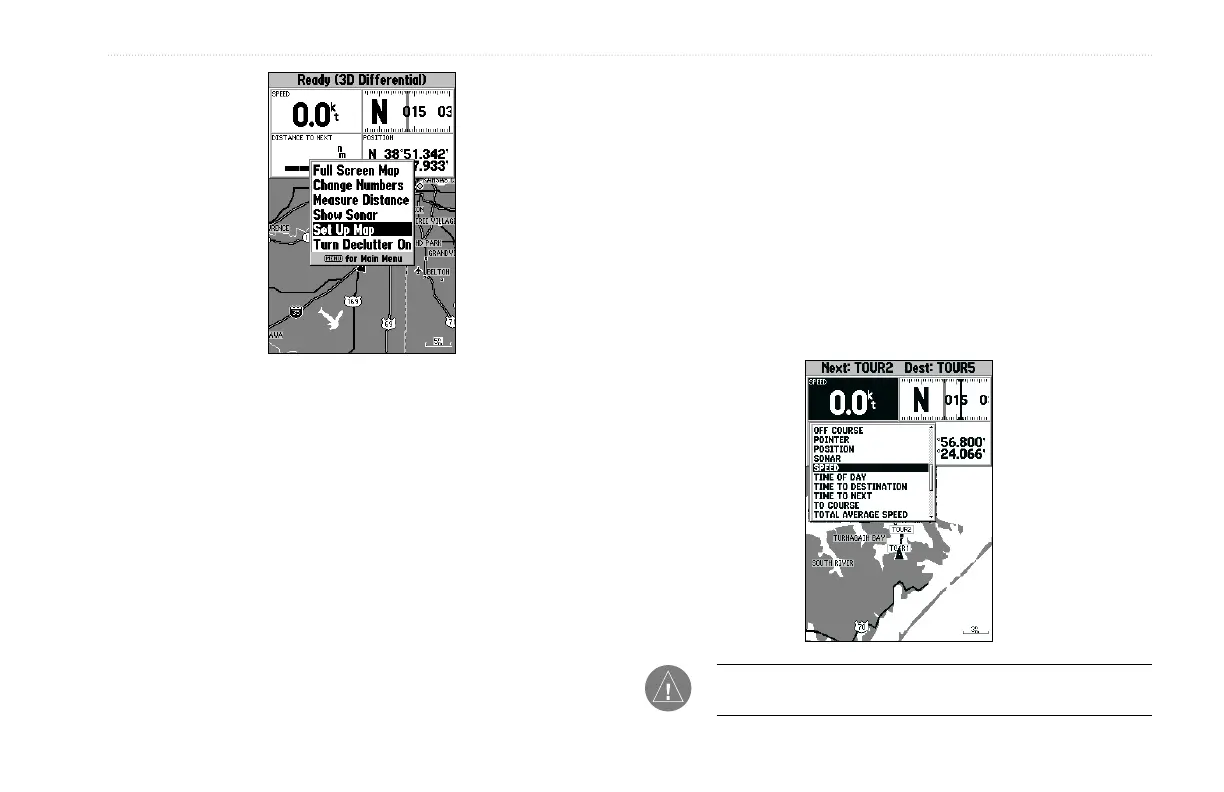
Full Screen Map/Show Data—toggles between a Map page
without or with data fields on the map display.
To maximize the map/show data fields:
1. Highlight Full Screen Map, and press ENTER. The Map
page is now maximized with no data fields.
2. To show the data fields again, press MENU, highlight Show
Data, and press ENTER.
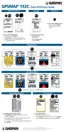
Change Numbers—specifies the type of data displayed in each
data field used on the map display.
To change a data field:
1. From the menu, use the ROCKER to highlight the Change
Numbers option, and press ENTER.
2. Move the field highlight to the data field you want to change
and press ENTER.
3. Move up or down on the list using the ROCKER to highlight
the data you want to display, and press ENTER. To exit,
press QUIT.
NOTE: Pointer, Highway, Location, and Sonar field options
are only available on medium and large sized data fields.













 To Next Page