GPSMAP 192C Owner’s Manual 35
MAIN PAGES > HIGHWAY PAGE
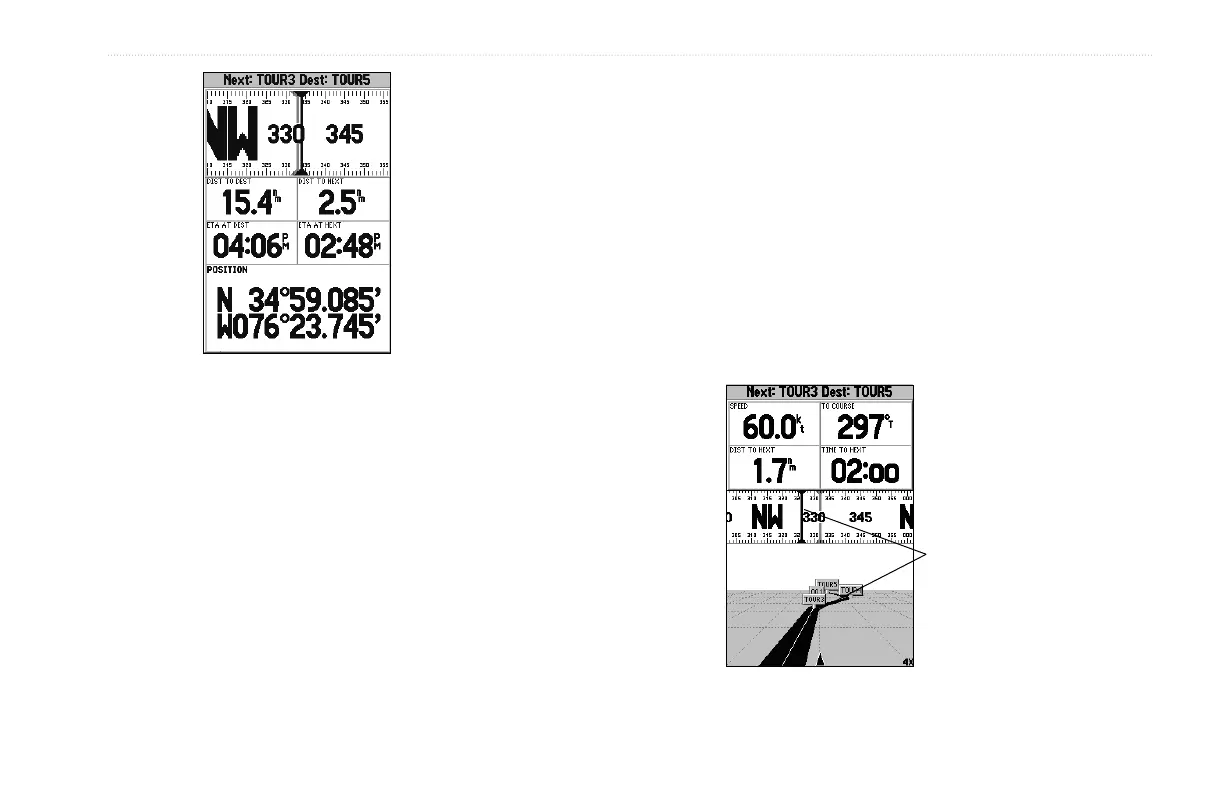
Numbers Page
shown with
middle data field
split into four
fields
To split the data fields:
1. Press MENU, then press ENTER. Highlight a data field, and
press MENU.
2. Highlight Split Numbers, then press ENTER. Four new data
fields appear. Press QUIT to finish.
3. To return to the original configuration, repeat steps
1 and 2, but instead of Split Numbers, select either Merge
Numbers or Defaults. Press QUIT to finish.
Highway Page
The GPSMAP 192C’s Highway page provides graphic steering
guidance to a destination waypoint, placing greater emphasis on
your straight-line course, and the distance and direction you are
off course. As you head toward your destination, the middle of the
screen provides visual guidance to your waypoint on a moving
graphic highway. Your present location is at the bottom center of
the highway display. The line down the middle of the highway
represents your course. As you navigate toward a waypoint, the
highway moves—indicating the direction you are off course. To
stay on course, steer toward the center of the highway.
Steer toward
the center of the
highway or towards
the black vertical
bar on the compass
ribbon to get back
on course.













 To Next Page