80 GPSMAP 192C Owner’s Manual
USING SONAR > SONAR PAGE
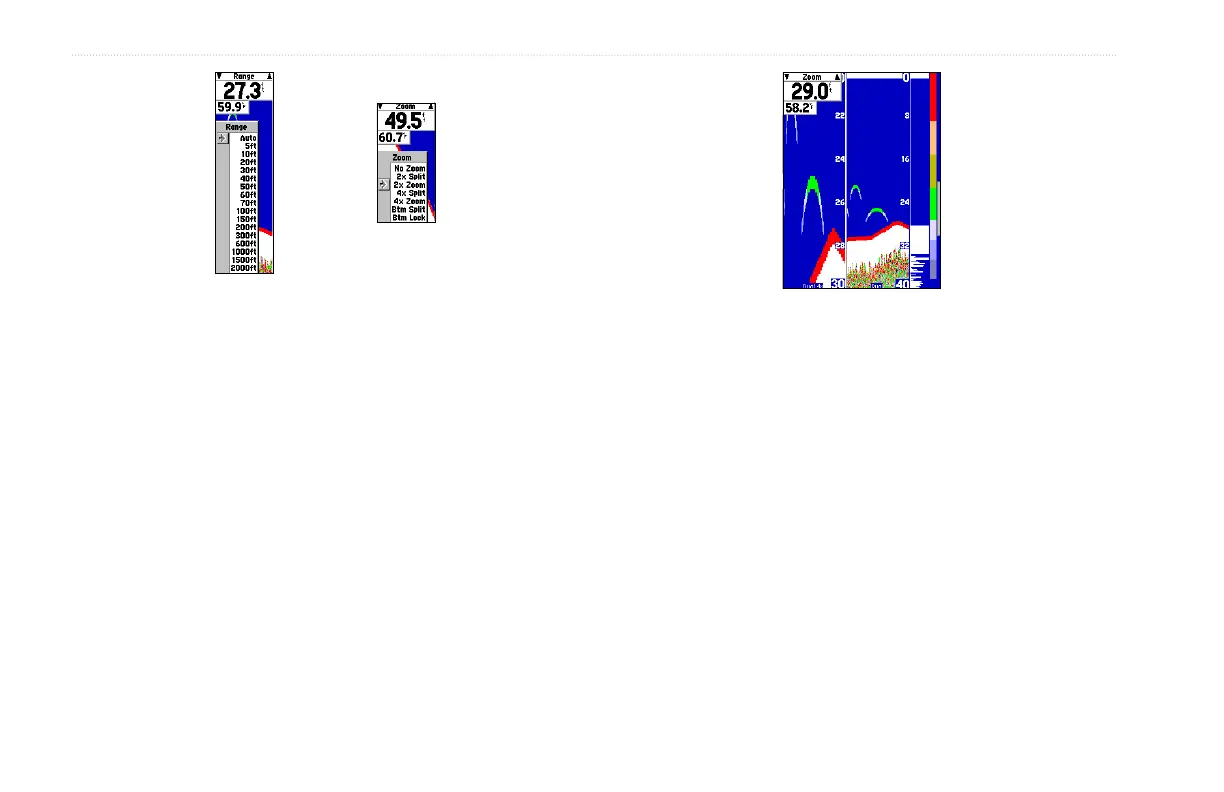
Range Adjustment
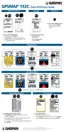
Zoom Adjustment
Range—sets the display depth range used for viewing. The unit
can be set to automatically track the bottom or set to a user-
specified depth range. Auto mode displays the most information
possible while continuously showing the bottom.
Zoom—used to quickly select a display zoom scale or split
the display. When a scale other than No Zoom is selected, the
Adjustment Menu displays a new selection labeled View. The
Zoom setting is divided into six display levels:
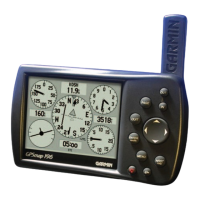
4X Split Zoom Display (Dual Frequency Mode)
• 2X Split—shows two reduced-size sonar pictures at the
same time. The right half of the display screen shows the
complete sonar picture at its original scale. The left half
shows a portion of the original picture at 1/2 depth scale.
• 2X Zoom—displays the 2X zoomed picture on the full
screen and does not show the original depth scale.
• 4X Split—shows two reduced pictures; the right at the
original depth scale and the left at 1/4 the original depth
scale.
• 4X Zoom—displays only the 4X zoomed picture on the full
screen. However, if Dual Frequency Display is set to Split,
then a 50/200kHz split screen is displayed.













 To Next Page