GPSMAP 495 Owner’s Manual 99
Main Menu > Track and Sonar Tabs
Track Tab
Use the Track tab to specify whether or not to record a track log,
define how it is recorded, or save the track log data for future use.
The Track tab is divided into two sub tabs: Active and Saved. For
more information about tracks, see the “Managing Your Tracks”
section beginning on page 83.
Active Sub Tab
The Active sub tab is for the active log (the log currently being
recorded). It displays the amount of track memory used and current
settings.
Saved Sub Tab
The Saved sub tab displays a list of all saved tracks in your unit.
Sonar Tab
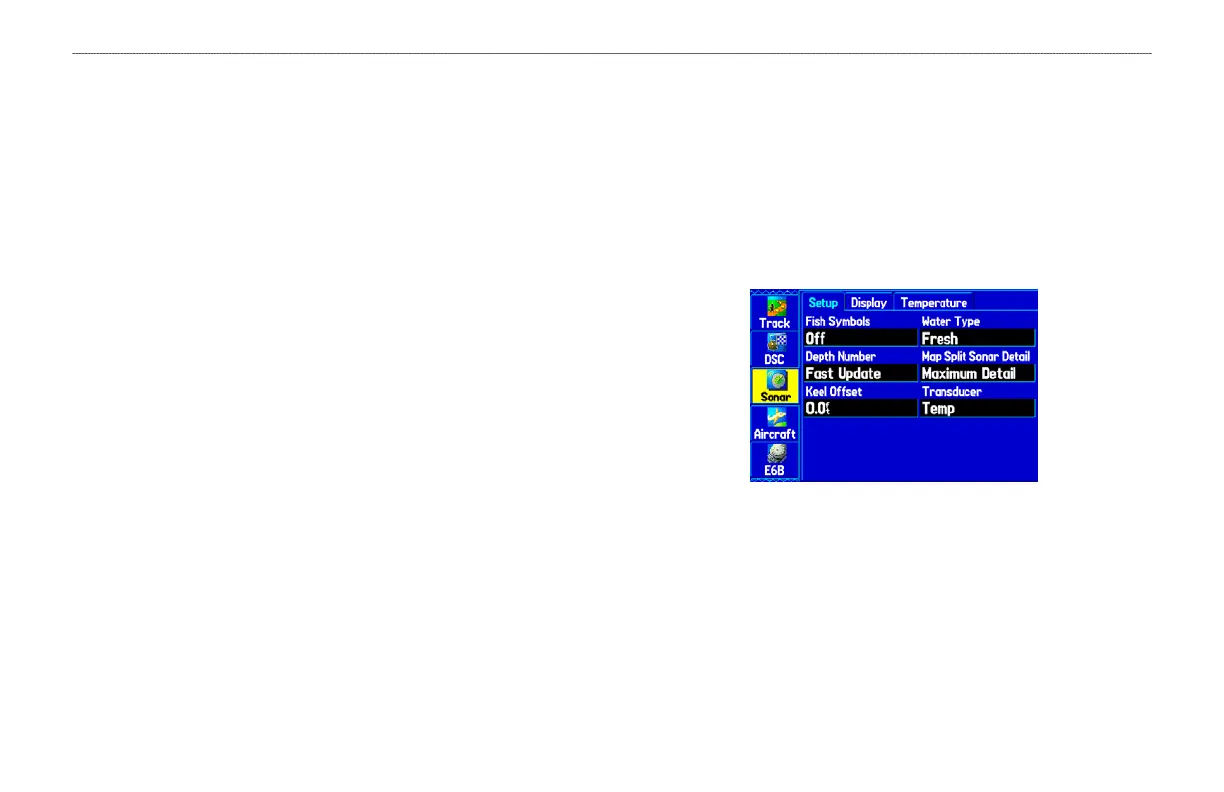
The Sonar tab contains options for the Sonar Page. See the “Setting
Up the Sonar Page” section beginning on page 125 for more
information about Sonar setup options.
To access the Sonar Tab:
1. Press MENU twice to open the Main Menu.
2. Use the ROCKER to highlight the Sonar tab.
Sonar Tab













 To Next Page