GPSMAP 495 Owner’s Manual 51
Automotive
Basic Operation in Automotive Mode > Automotive Mode Page Sequence
Basic Operation In Automotive Mode
NOTE: The optional City Navigator
®
data shown is not included with the GPSMAP 495.
To switch usage modes:
1. Press and hold PAGE/MODE.
2. Use the ROCKER to select either Aviation, Automotive, or Marine, and press ENTER.
Automotive Mode Page Sequence
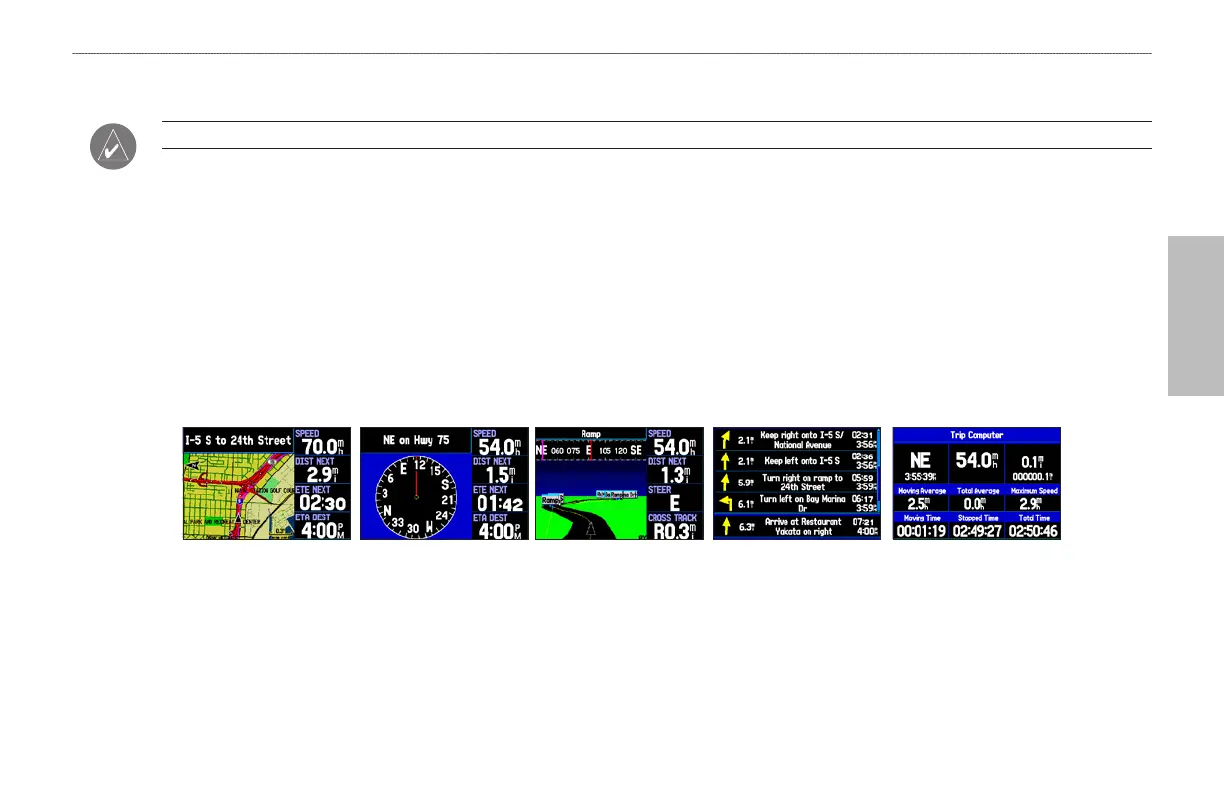
Automotive Mode features two main pages: the Map and Trip Computer Pages. Optional Highway and Compass Pages can also be enabled.
Two additional pages appear during active navigation while in Automotive Mode—a Current Route Page appears if you are navigating a turn-
by-turn route, and an Active Route Page appears if you are navigating “Off Road.” See “Navigating in Automotive Mode” beginning on the
next page for more information.
Trip Computer Page Map Page Compass Page
(Optional)
Highway Page
(Optional)
Current Route Page
To add the Compass or Highway Pages:
1. Press MENU twice to show the Main Menu. Use the ROCKER to highlight the Display tab.
2. Highlight the Highway Page or Compass Page fields, and press ENTER. Select On, and press ENTER.













 To Next Page