GPSMAP 495 Owner’s Manual 87
Marine
Basic Operation in Marine Mode > Marine Mode Page Sequence
Basic Operation in Marine Mode
NOTE: The optional BlueChart data shown is not included with the GPSMAP 495.
To switch usage modes:
1. Press and hold the PAGE/MODE button.
2. Use the ROCKER to select either Aviation, Automotive, or Marine, and press ENTER.
Marine Mode Page Sequence
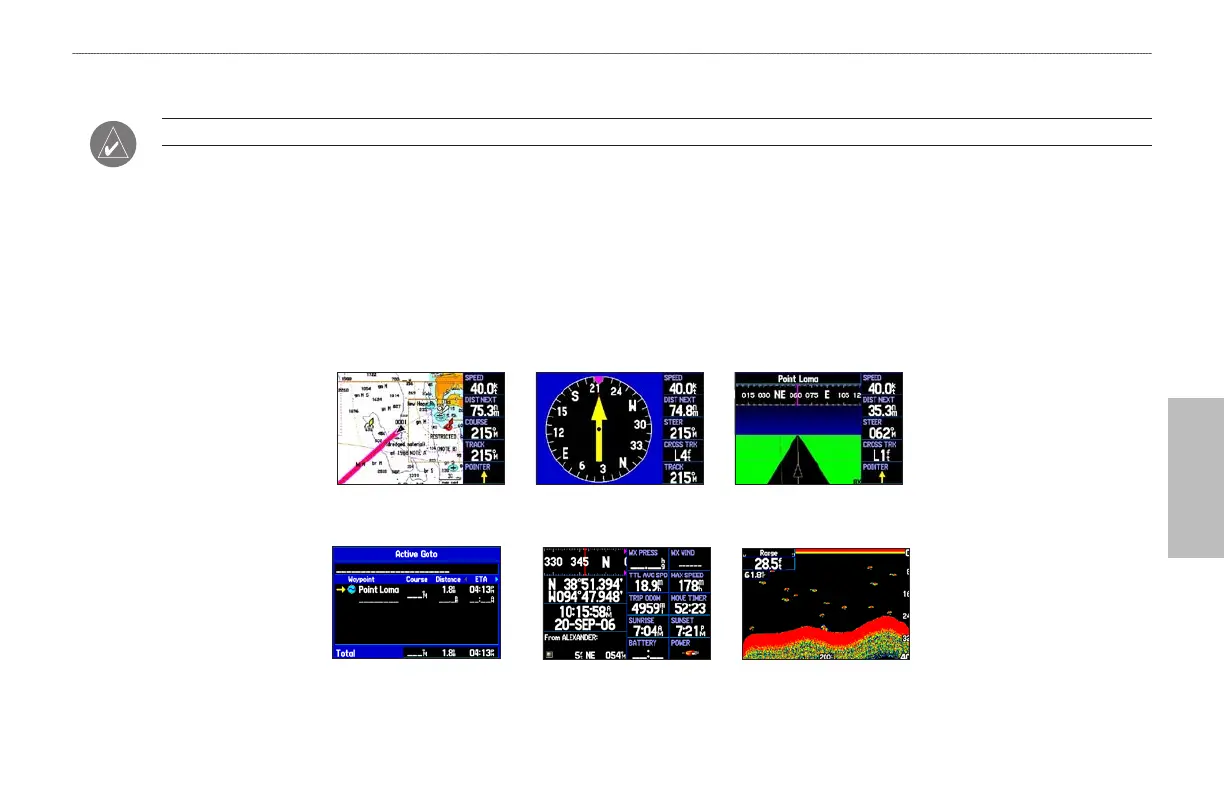
Marine Mode features five main pages: the Map, Compass, Highway, Active Route, and Position Data Page. If you are connected to a sonar
module, such as a Garmin GSD 20 or GSD 21, an additional Sonar Page is available.
Highway Page
Sonar Page
(Optional)
Active Route Page
Compass Page
Position Data Page
Map Page













 To Next Page