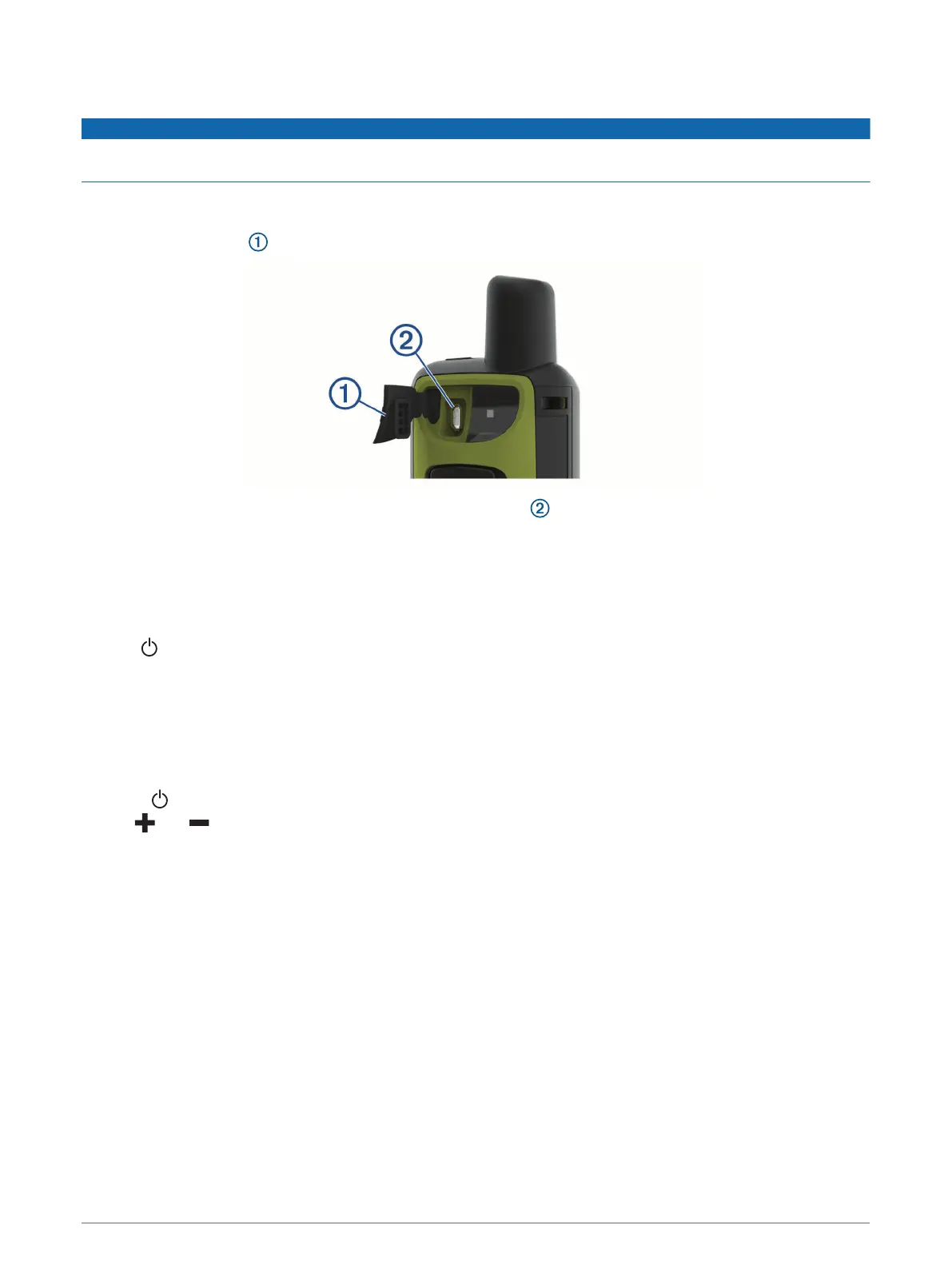
Charging the GPSMAP 66sr Device
NOTICE
To prevent corrosion, thoroughly dry the USB port, the weather cap, and the surrounding area before charging or
connecting to a computer.
NOTE: The device does not charge when it is outside the approved temperature range (GPSMAP 66sr
Specifications, page 38).
1 Lift the weather cap .
2 Plug the small end of the power cable into the charging port on the device.
3 Plug the other end of the power cable into a compatible AC power adapter.
4 Plug the AC power adapter into a standard wall outlet.
5 Charge the device completely.
Turning On the Device
Hold .
Turning On the Backlight
Select any key to turn on the backlight.
The backlight turns on automatically when alerts and messages are displayed.
Adjusting the Backlight
1 Select to open the status page.
2 Use and to adjust the brightness.
TIP: You can select NV to reduce the backlight intensity for compatibility with night vision goggles.
Introduction 5



 To Next Page