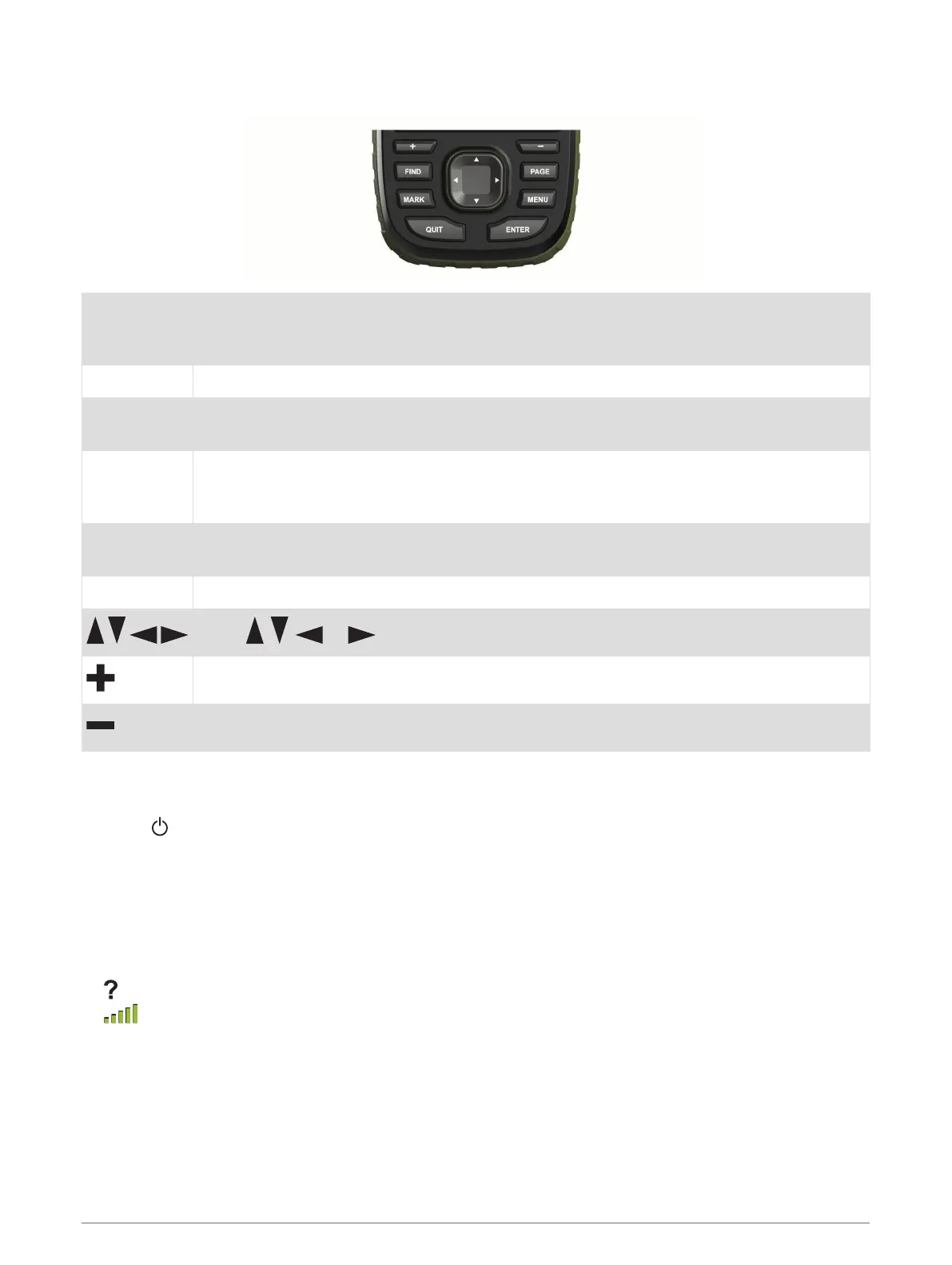
Buttons
FIND
Select to open the search menu.
Hold to mark your current location as a man overboard (MOB) location and activate naviga
tion.
MARK Select to save your current location as a waypoint.
QUIT
Select to cancel or return to the previous menu or page.
Select to scroll through the main pages.
ENTER
Select to choose options and acknowledge messages.
Select to control the current activity recording (from the Map, Compass, Altimeter, and Trip
Computer pages).
MENU
Select to open the options menu for the page that is currently open.
Select twice to open the main menu (from any page).
PAGE Select to scroll through the main pages.
Select , , , or to select menu options and move the map cursor.
Select to zoom in on the map.
Select to zoom out on the map.
Locking the Keys
You can lock the keys to prevent inadvertent key presses.
Select > Lock Keys.
Acquiring Satellite Signals
It may take 30 to 60 seconds to acquire satellite signals.
1 Go outdoors to an open area.
2 If necessary, turn on the device.
3 Wait while the device searches for satellites.
flashes while the device determines your location.
in the status bar shows the satellite signal strength.
When the device acquires satellite signals, it automatically starts recording your path as an activity.
Using the Main Pages
The information needed to operate this device is found on the main menu, map, compass, trip computer, and
altimeter pages.
Select PAGE or QUIT to scroll through the main pages.
6 Using the Main Pages



 To Next Page