Device Information
Product Updates
On your computer, install Garmin Express
™
(www.garmin.com/express). On your smartphone, you can install
the Garmin Explore app to upload your waypoints, routes, tracks, and activities.
Garmin Express provides easy access to these services for Garmin devices:
• Software updates
• Map updates
• Product registration
Setting Up Garmin Express
1 Connect the device to your computer using a USB cable.
2 Go to garmin.com/express.
3 Follow the on-screen instructions.
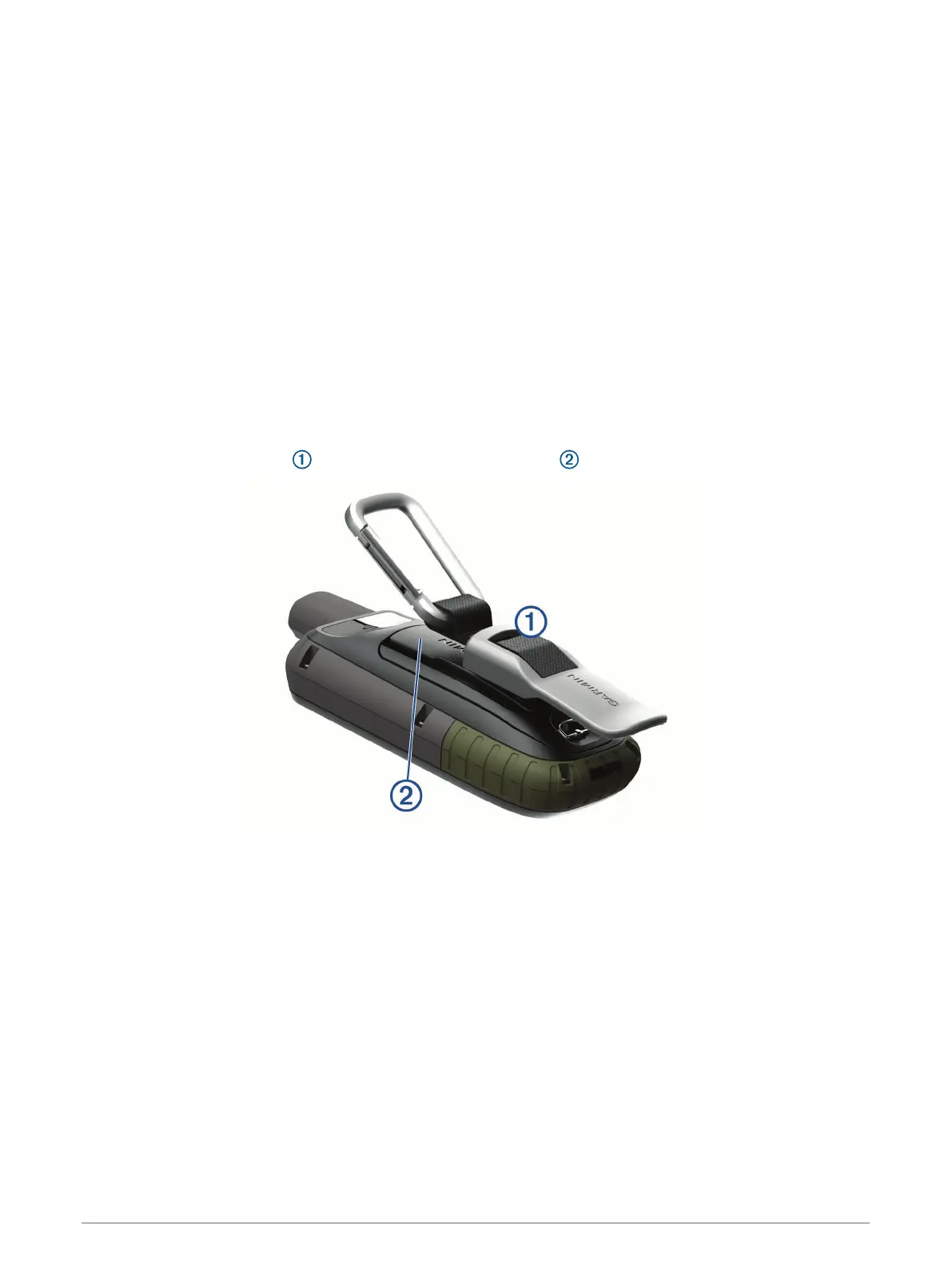
Attaching the Carabiner Clip
1 Position the carabiner clip in the slots on the mounting spine of the device.
NOTE: Your device may look different than the device pictured.
2 Slide the carabiner clip up until it locks in place.
Removing the Carabiner Clip
Lift up on the bottom of the carabiner clip, and slide the carabiner clip off the mounting spine.
34 Device Information



 To Next Page