3-4
Garmin GTR 225/225A/225B Pilot’s Guide
190-01182-00 Rev. B
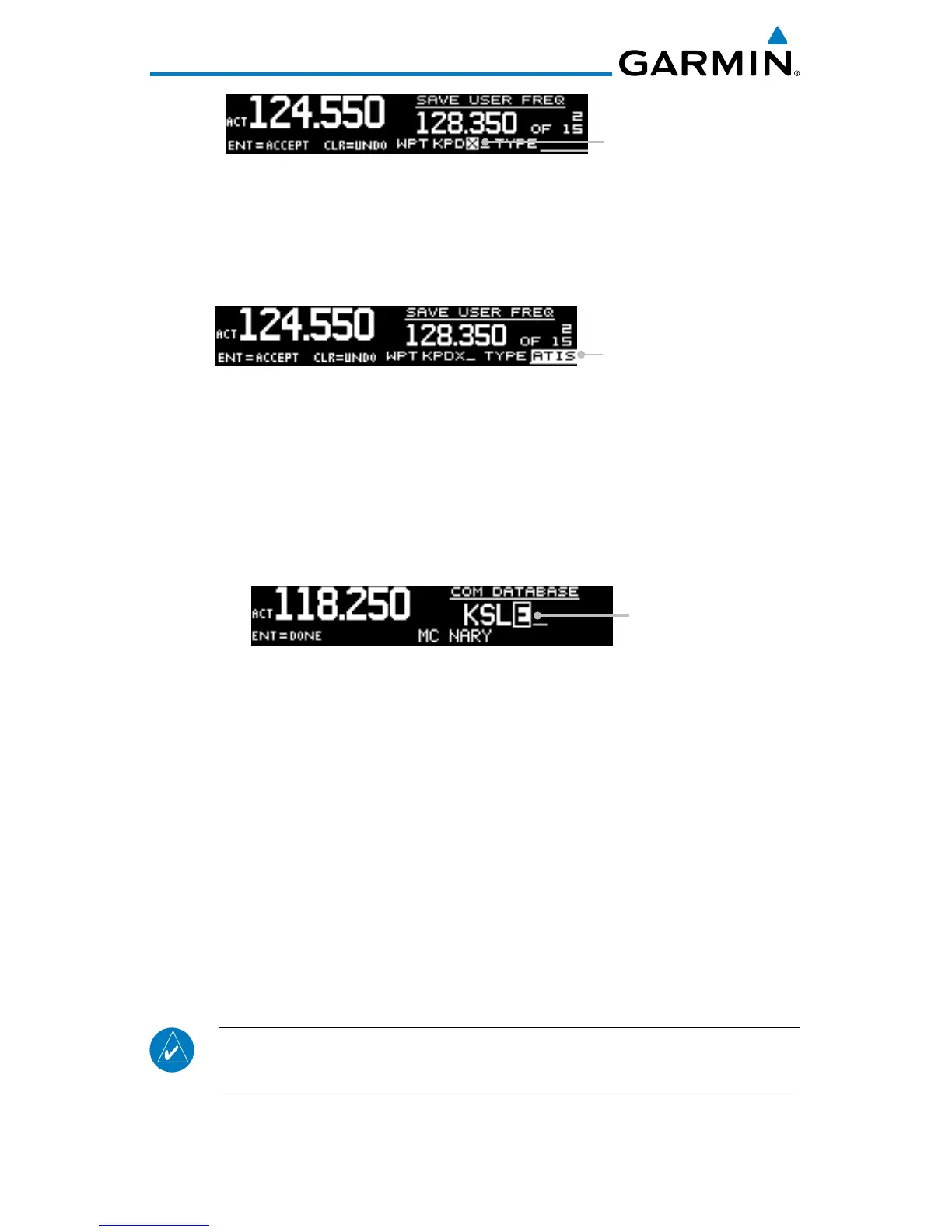
Waypoint Name
COM User Frequency Name Selection
11. Press ENT.
12. Turn the outer knob to select the TYPE field.
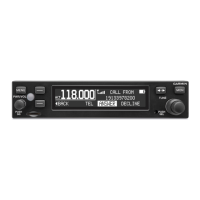
13. Turn the inner knob to select the waypoint type.
Waypoint Type
COM User Frequency Type Selection
14. Press ENT to accept changes.
Press CLR to cancel changes.
3.2.3 COM Database Frequencies
The GTR 225 contains a database of COM frequencies that may be recalled by
identifier.
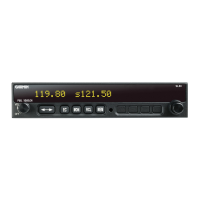
Character
COM Database Frequencies
1. Press FUNC.
2. Turn the inner knob to DATABASE.
3. Press ENT.
4. Turn the inner knob to select the character.
5. Turn the outer knob to move the cursor to highlight a character.
6. Press ENT.
7. If the frequency type is available, turn the inner knob to select the
frequency type.
8. Press FLIP/FLOP to set the selected frequency as the active frequency.
Press ENT to set the selected frequency as the standby frequency.
NOTE: The nearest station identifier for the selected frequency will be shown below
the active or standby frequency, when connected to a GPS position source
.



 To Next Page